Process
Six steps, no theatre.
Design Thinking, Lean UX and user-centred design, practised on enterprise programmes since 2010, now accelerated with AI tools.
Six steps
From listening to sign-off.
- 01
Discover
Stakeholder and SME interviews, user research and domain learning, so the problem is understood in the client’s language and the user’s.
- User research & analysis
- Stakeholder interviews
- IBM Enterprise Design Thinking
- 02
Define
Goals and objectives, personas, journey maps and user stories with acceptance criteria, written with the product owner.
- 03
Architect
Information architecture, navigation structures, task flows and wireframes. Most enterprise UX is won or lost here.
- 04
Design
Visual design, design systems, style guides and accessible components that a large team can reuse without drift.
- 05
Build with AI
GenAI tools help me turn flows into clickable prototypes and front-end code quickly; every screen still gets a designer’s review for copy, states and edge cases.
- 06
Validate
Usability testing, design reviews and sign-off with stakeholders, accessibility checks (WCAG 2.1, Section 508, JAWS) and A/B testing where it applies.
Design thinking
Empathise, define, ideate, prototype, test.
IBM Enterprise Design Thinking Practitioner (2022) and Co-Creator (2023). The loop behind my six steps.
Empathise
My step01 Discover
Define
My step02 Define
Ideate
My step03 Architect
Prototype
My step04 Design + 05 Build with AI
Test
My step06 Validate
Test loops back to Empathise: every round of testing starts the next.
IBM principlesFocus on user outcomes · Restless reinvention · Diverse empowered teams
UX laws
The laws behind the decisions.
Thirteen laws of UX I lean on, and where they shaped my work.
Laws as summarised by Jon Yablonski’s Laws of UX and Justin Wong’s ‘The top 13 UX laws every designer should know’ (Bootcamp, 2023).
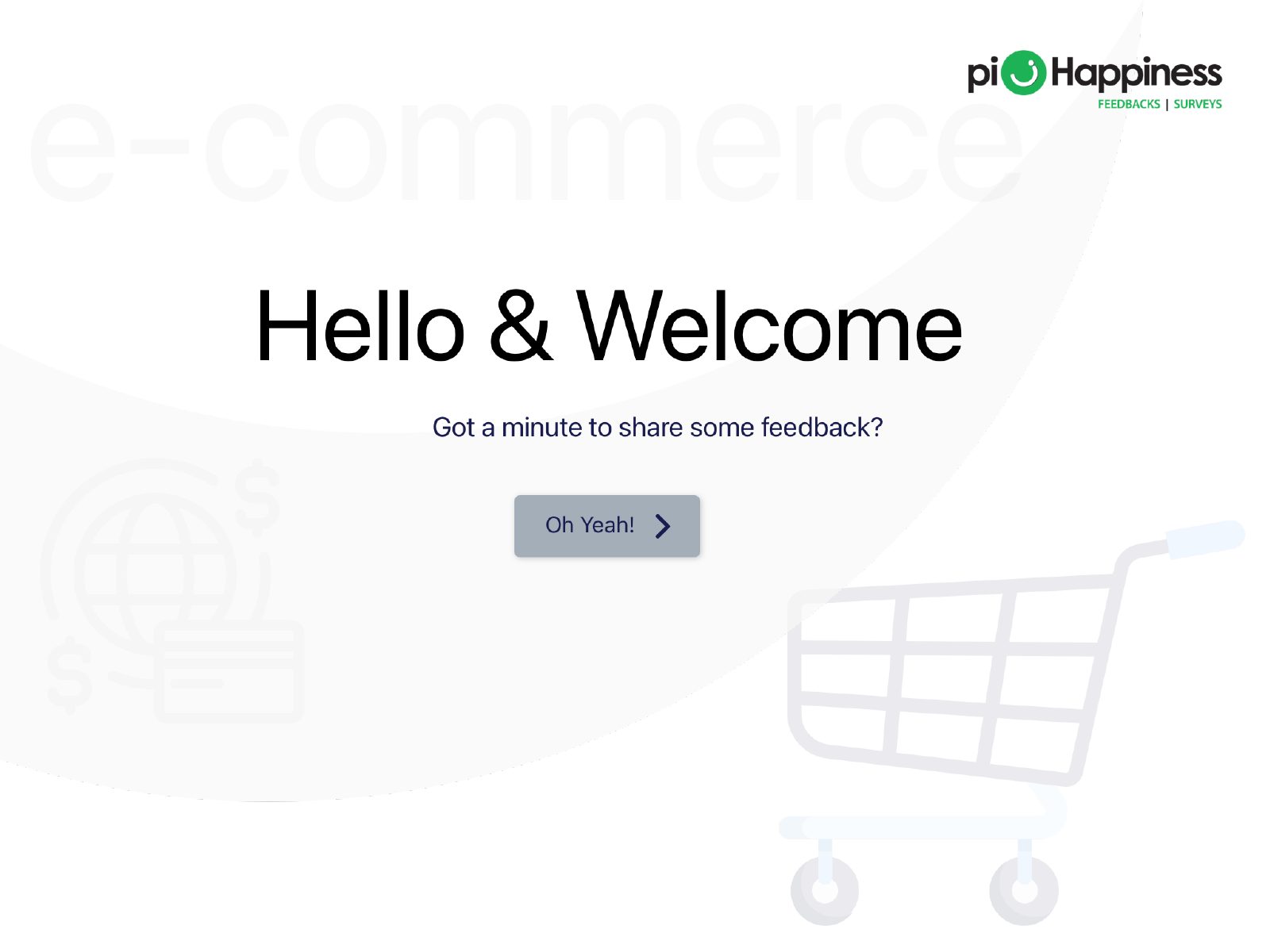
Aesthetic-usability effect
People perceive attractive designs as easier to use.
In my work: piHappiness: one colour and type system (Nunito) across welcome, 20+ question types and thank-you made a long survey feel lighter.

Hick's law
Decision time grows with the number of choices.
In my work: Adani CEO dashboards: v2.0 groups every KPI into Needs attention, Watch list and Healthy, so a CEO sees exceptions first instead of scanning dozens of charts.
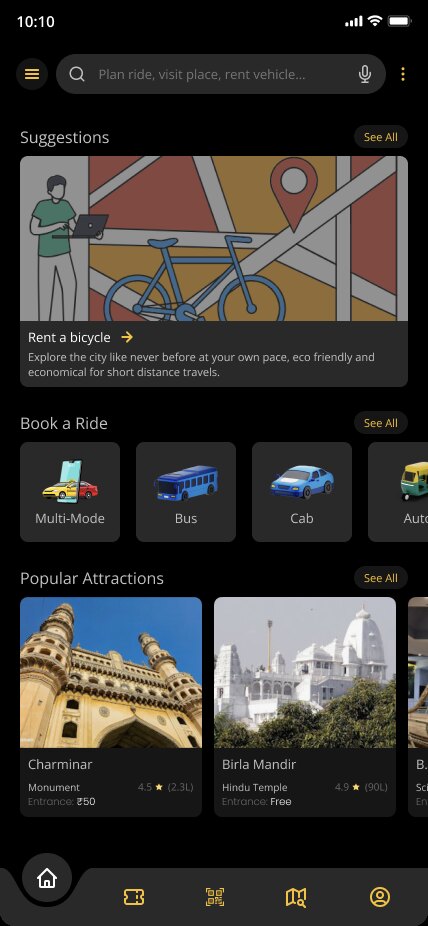
Fitts's law
Big, close targets are faster to hit.
In my work: Urban Mobility: large touch targets, one-handed navigation, a bottom-tab layout and quick-access buttons for fast trip planning.
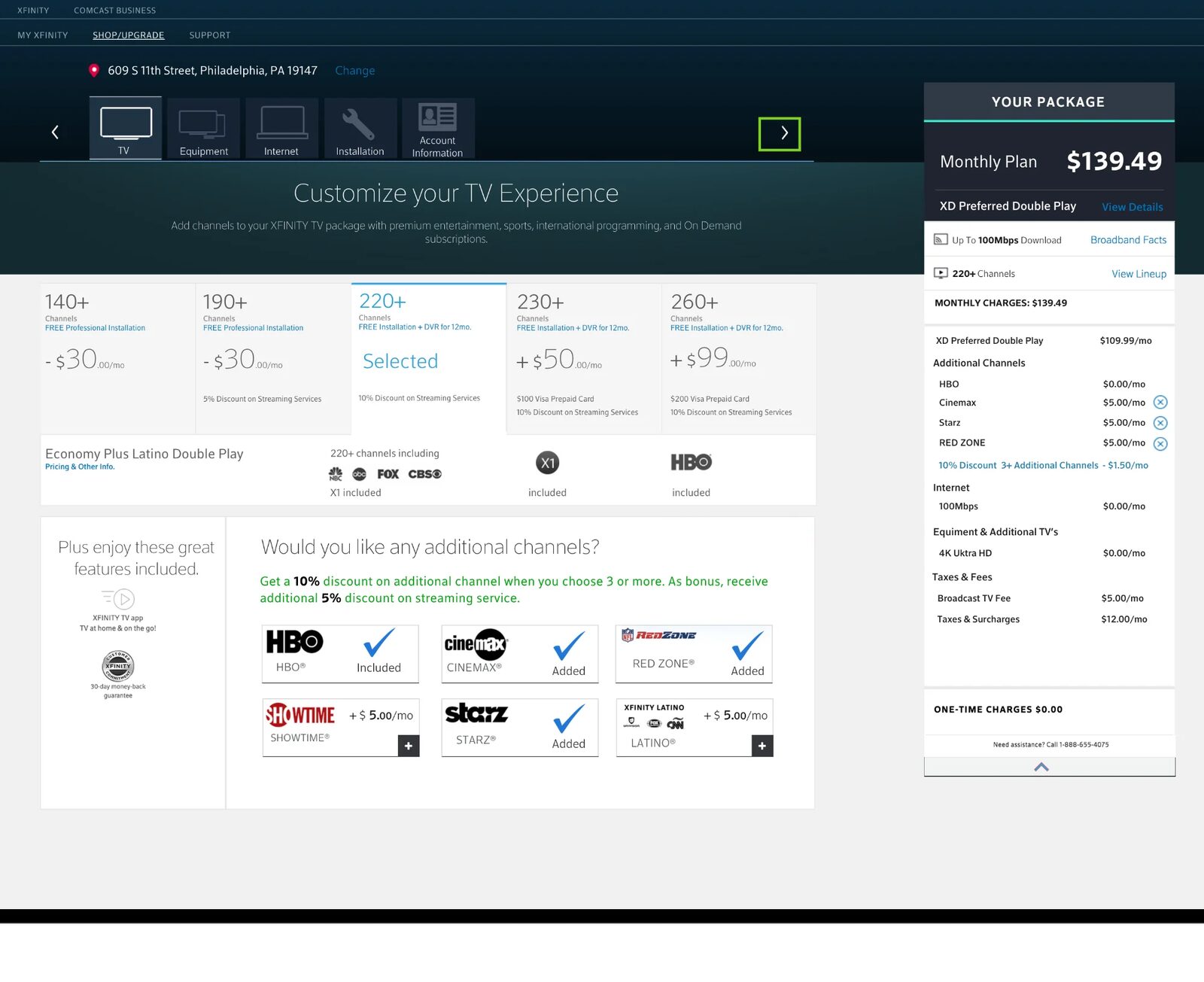
Zeigarnik effect
Unfinished tasks stay on our mind; show progress.
In my work: Xfinity NextGen: customers build their plan one module at a time (TV, internet, equipment, install, account) with a final review, so they always know what's left.
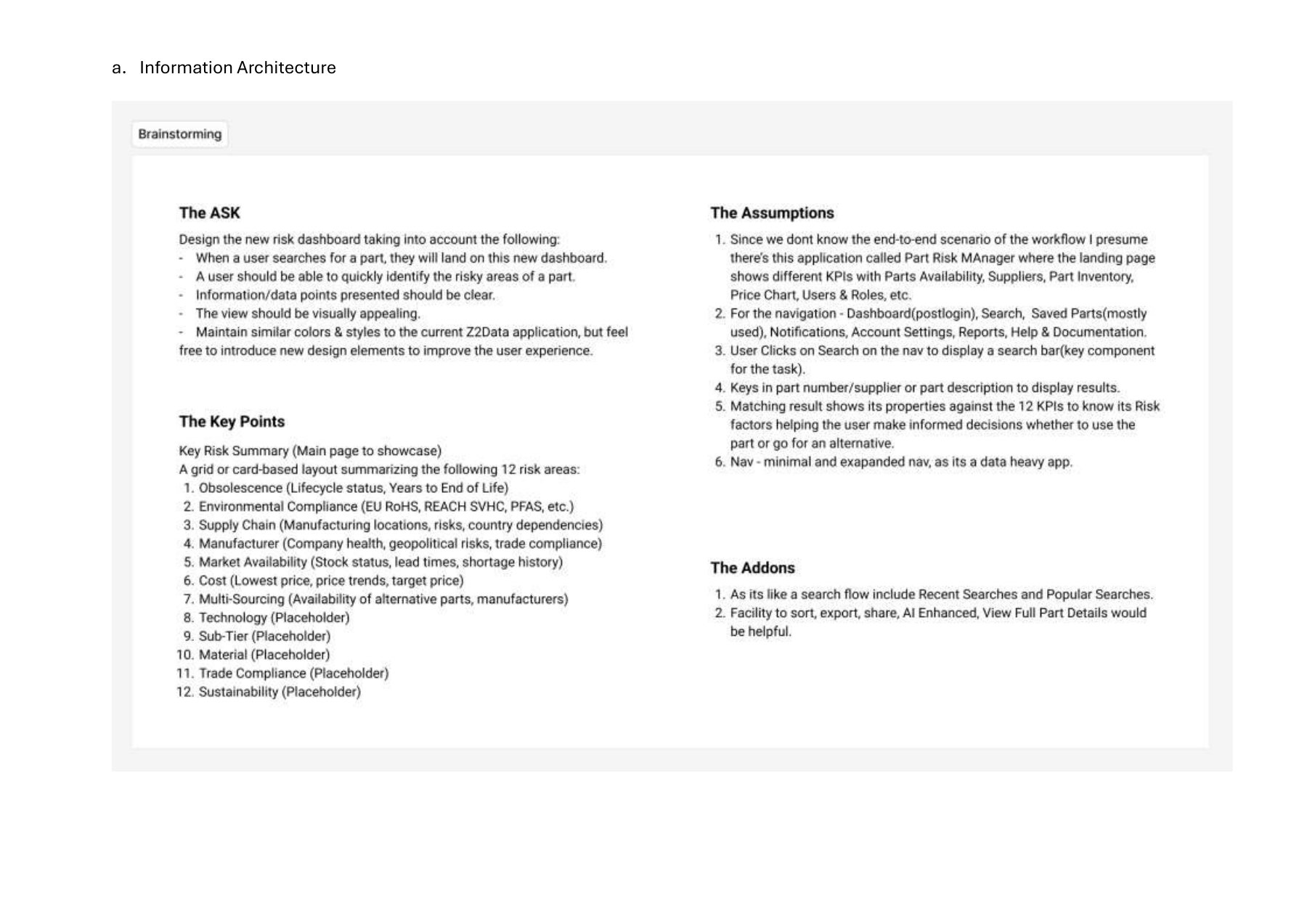
Jakob's law
Users prefer patterns they already know.
In my work: Z2Data: the brief kept the colours and styles of the current Z2Data application, so new features felt native to existing users.
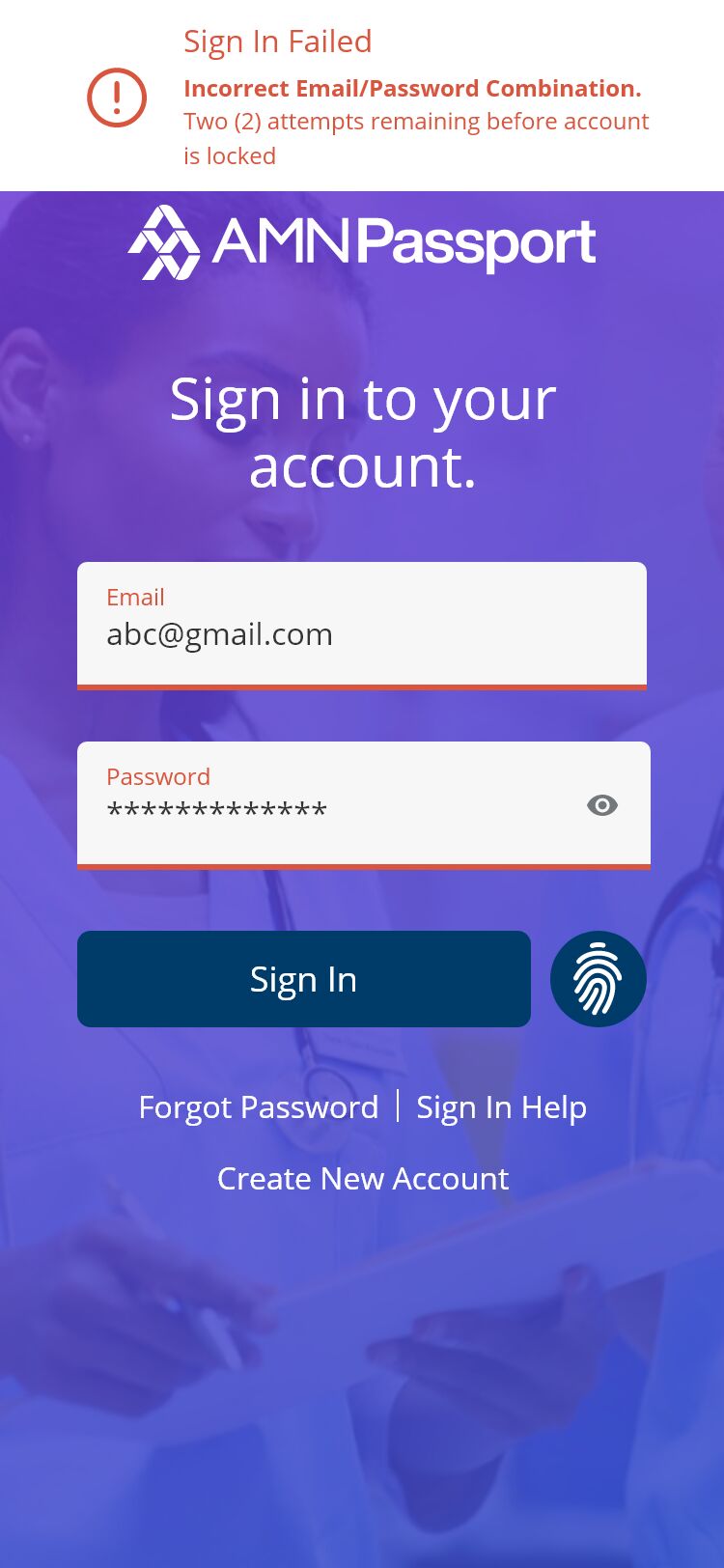
Law of feedback
Every action needs immediate, clear feedback.
In my work: AMN Passport: sign-in error and password-reset states tell the nurse exactly what happened and what to do next.

KISS / progressive disclosure
Keep it simple; reveal detail on demand.
In my work: Adani: status first, density on demand — summary KPI cards on the phone, detailed KPI view one tap away.
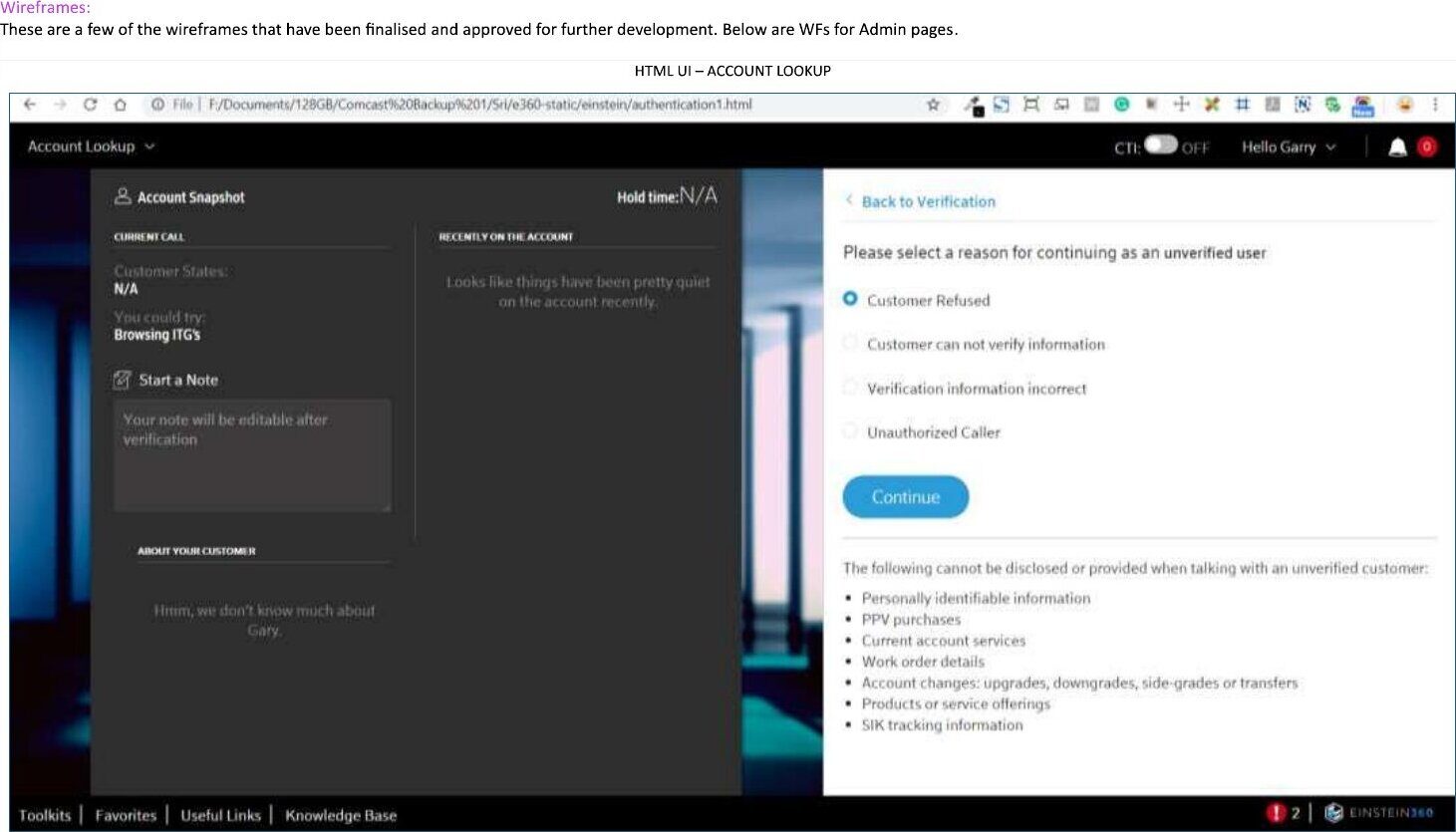
Tesler's law
Some complexity can't be removed, only placed well.
In my work: Comcast Einstein 360: the verification step lists exactly what may and may not be shared with an unverified caller, right where the agent decides.
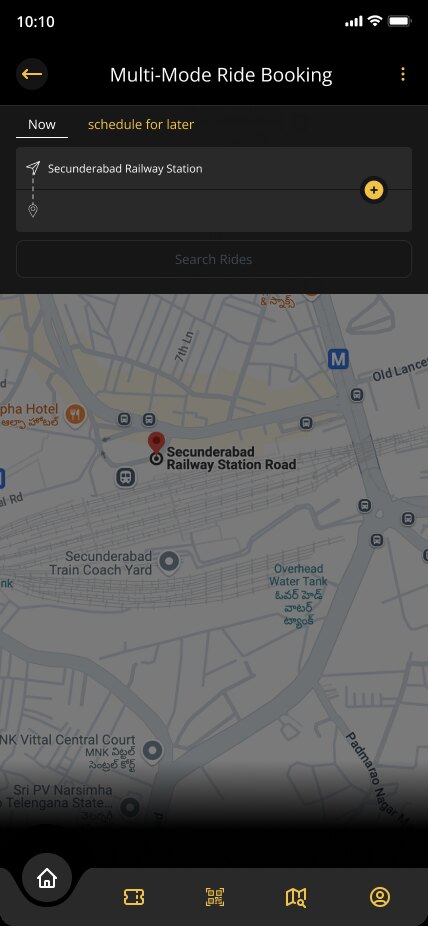
IKEA effect
People value what they help shape.
In my work: Urban Mobility: saved routes, eco-friendly preferences and personalised recommendations let riders shape the app.
Doherty threshold
Keep responses under ~400 ms to hold attention.
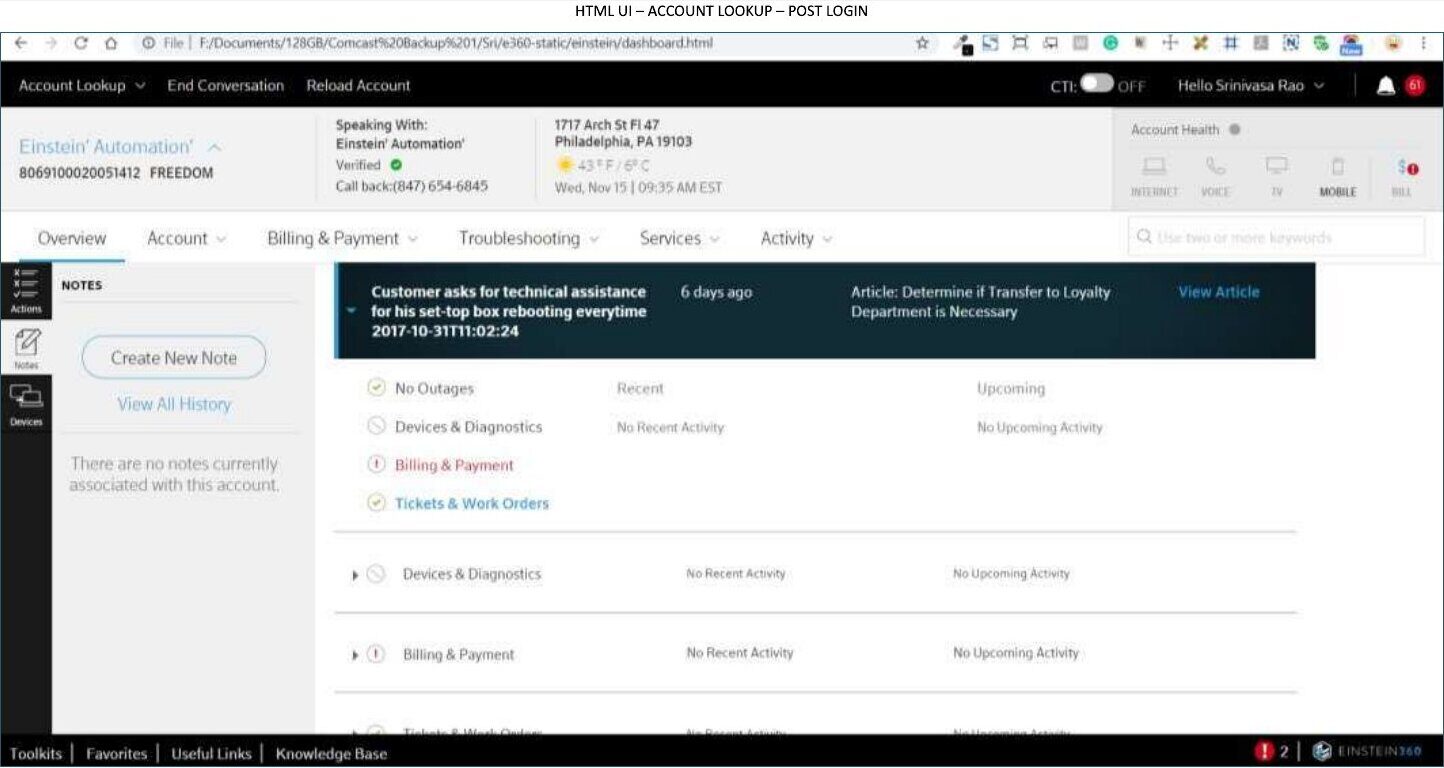
In my work: Comcast Einstein 360: agents find the account, verify and see the whole customer while the call is happening, in one place.
Gestalt principles
We see grouped, similar things as one.
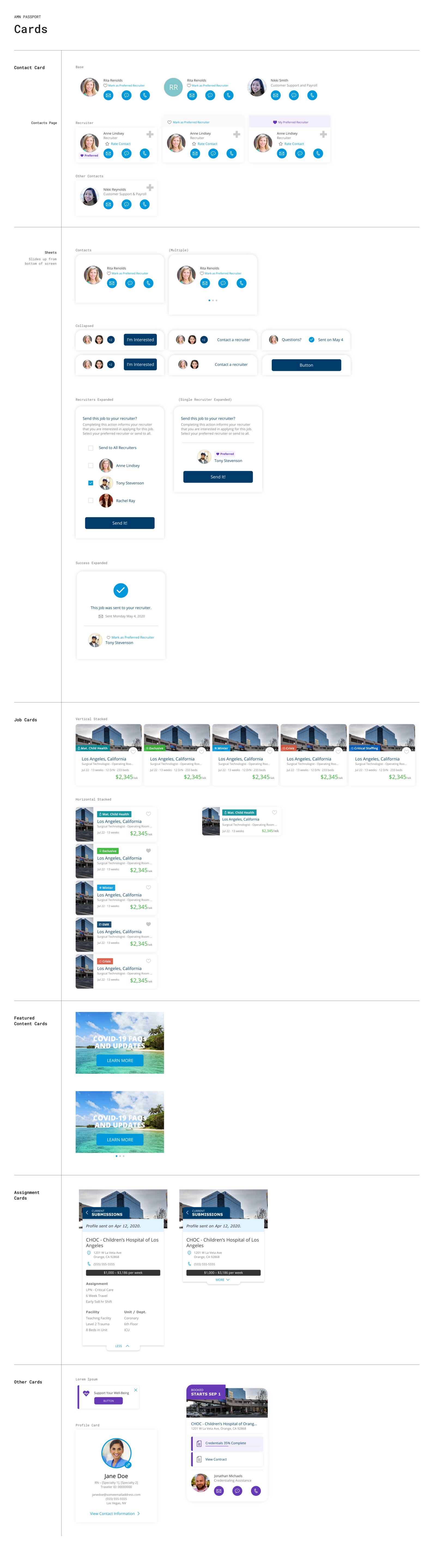
In my work: AMN UI framework: shared colours, type, buttons, forms and cards make thousands of screens read as one product family.

Von Restorff effect
The item that differs is the one remembered.
In my work: Adani: a calm dark canvas lets red and green status signals carry the meaning on a 500-inch screen.
Miller's law
Working memory holds about seven items; chunk content.
In my work: Xfinity NextGen: the plan is split into six short modules instead of one long form.
AI workflow
Fast tools, slow judgement.
How I use generative AI on real products, from CorpSakha to the concept projects on this site.
- 01
Frame
Write the brief, audience and constraints myself. AI is fast; it is not the strategist.
- 02
Generate
Use ChatGPT, Copilot, Bolt.new, Google’s Stream Realtime, Uizard and Motiff alongside Figma and LLM coding copilots to explore flows, screens and code quickly.
- 03
Curate
Pick, merge and rewrite. Copy, states, edge cases and accessibility get a designer’s hand review.
- 04
Ship
Turn the result into a clickable prototype or production front end, like the CorpSakha app or this site.