Telecom · USA
Xfinity NextGen Build-your-plan ordering and migration
Prototypes for Comcast’s Next Generation platform: a modular build-your-own plan flow (TV, internet, equipment, install, account, review) and the ‘breach moment’ screens that walk existing customers through migration.
- Client
- Comcast (Xfinity)
- Domain
- Telecom · USA
- Period
- 2017 – 2018
- Role
- Sr. UX & UI Consultant
- Type
- Web app
- Client site
- Visit live site ↗The current version may differ from my work.
The brief
Two journeys on one new platform: new customers build their own plan, and existing customers move across to it.
My role
As Sr. UX & UI Consultant I prototyped three flows: modular ordering, the migration ‘breach moment’, and the new account experience.
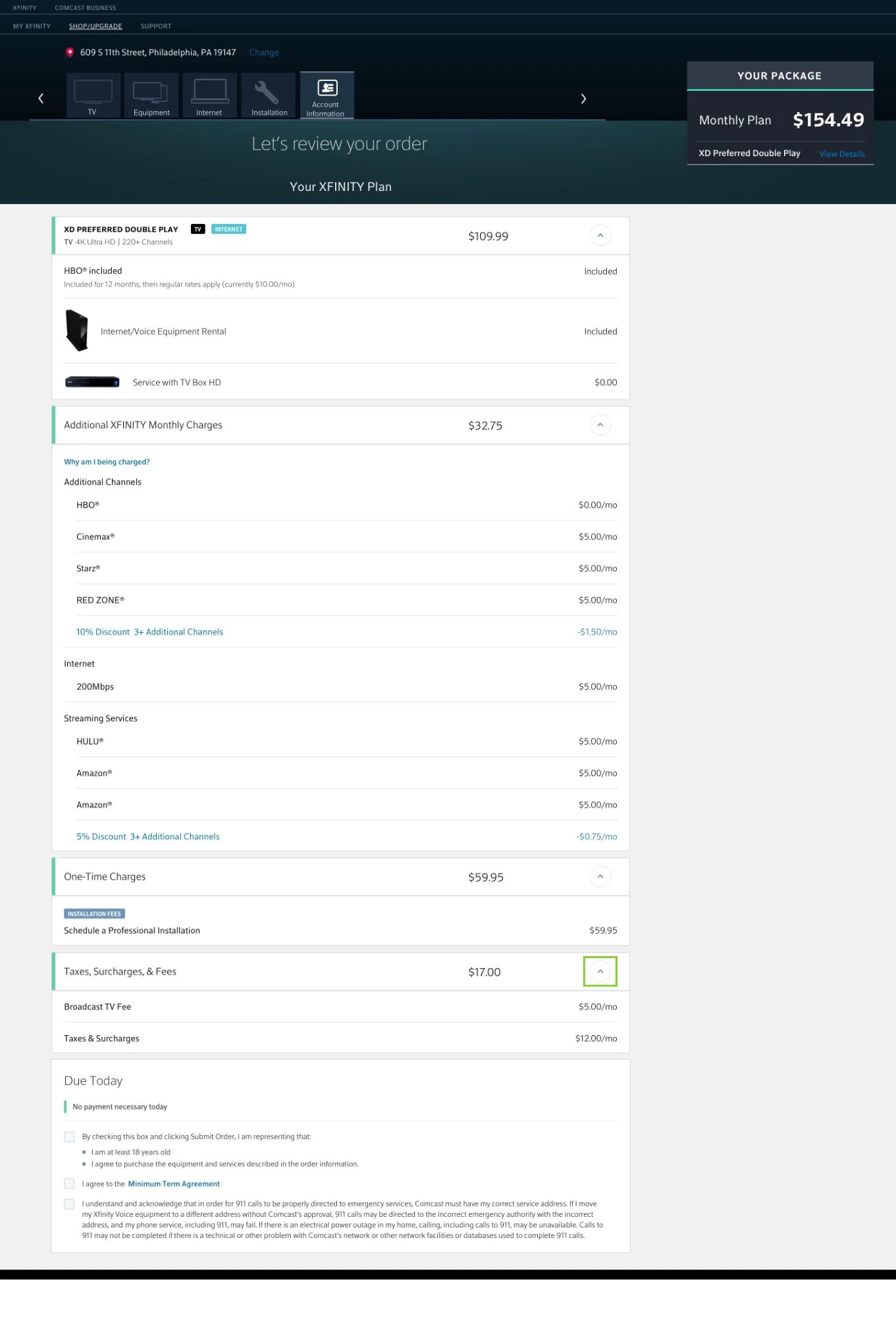
Modular ordering
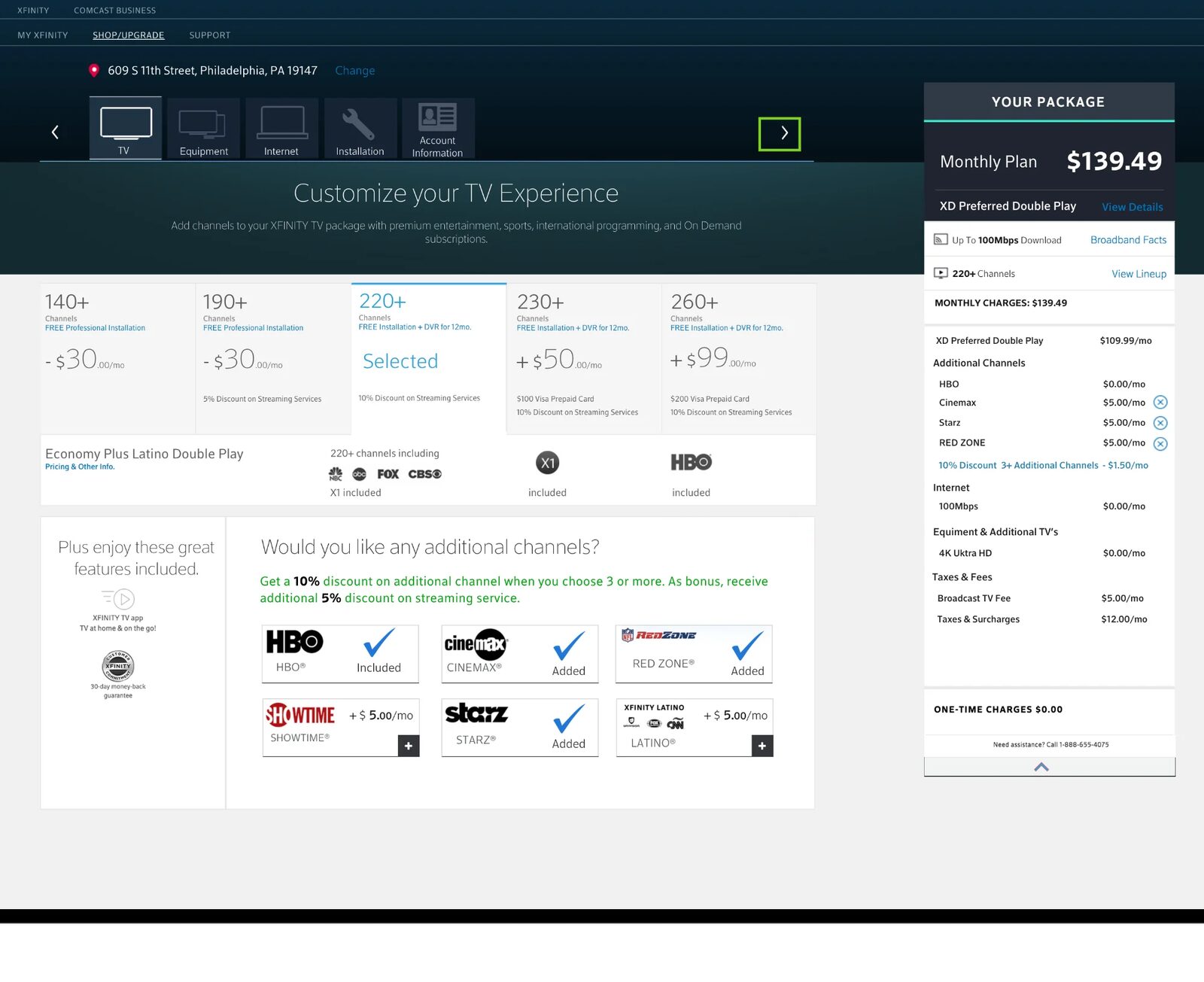
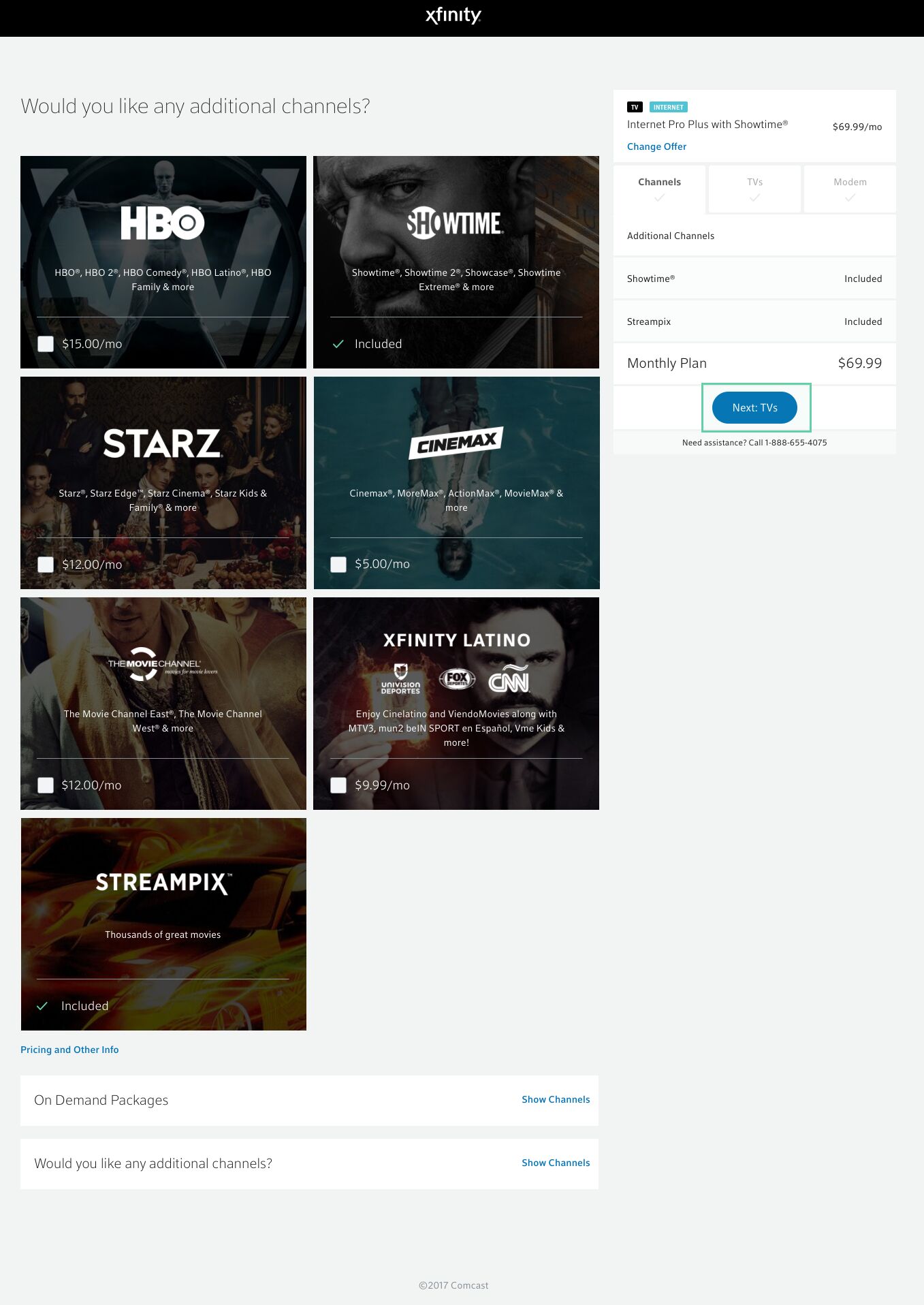
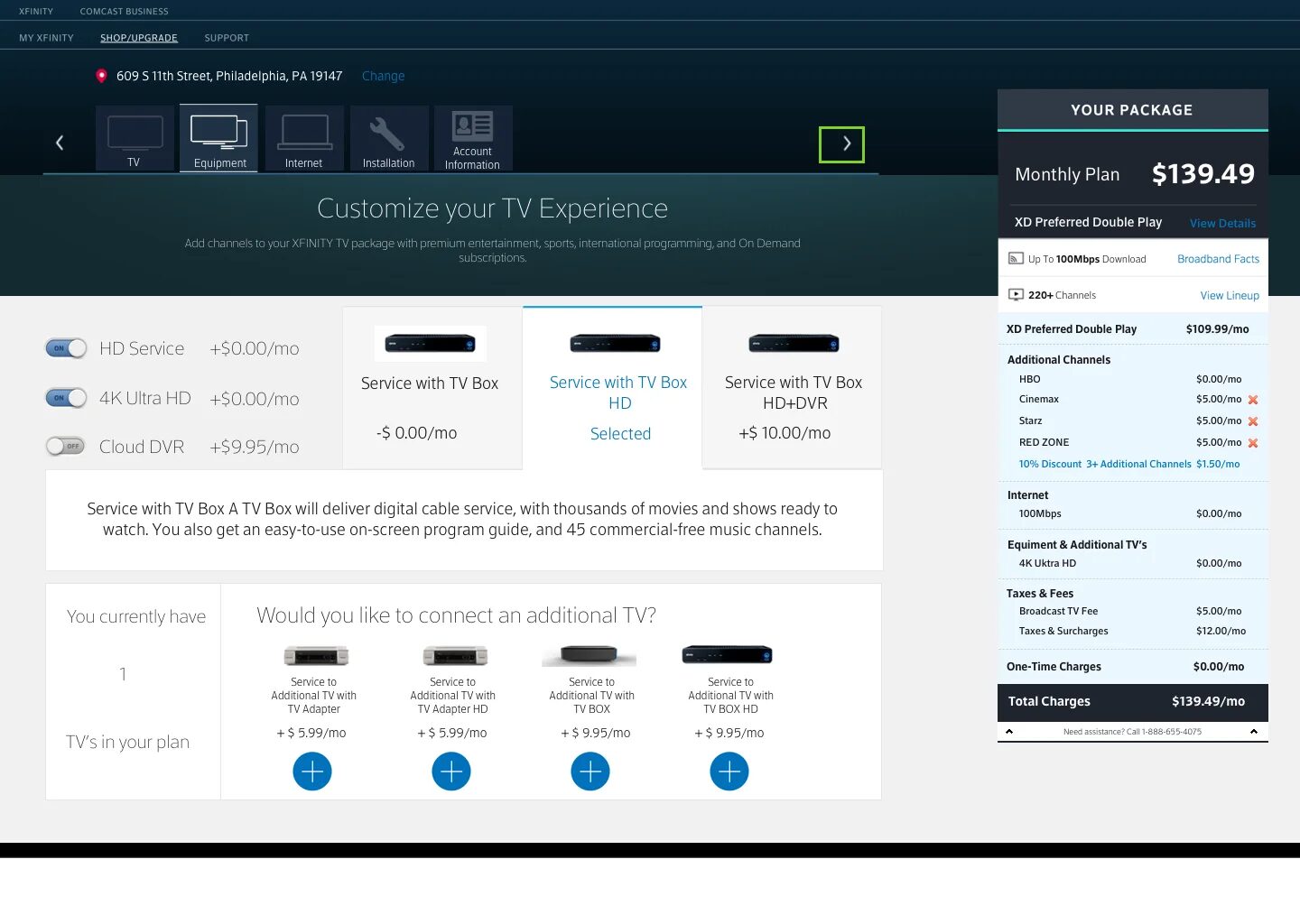
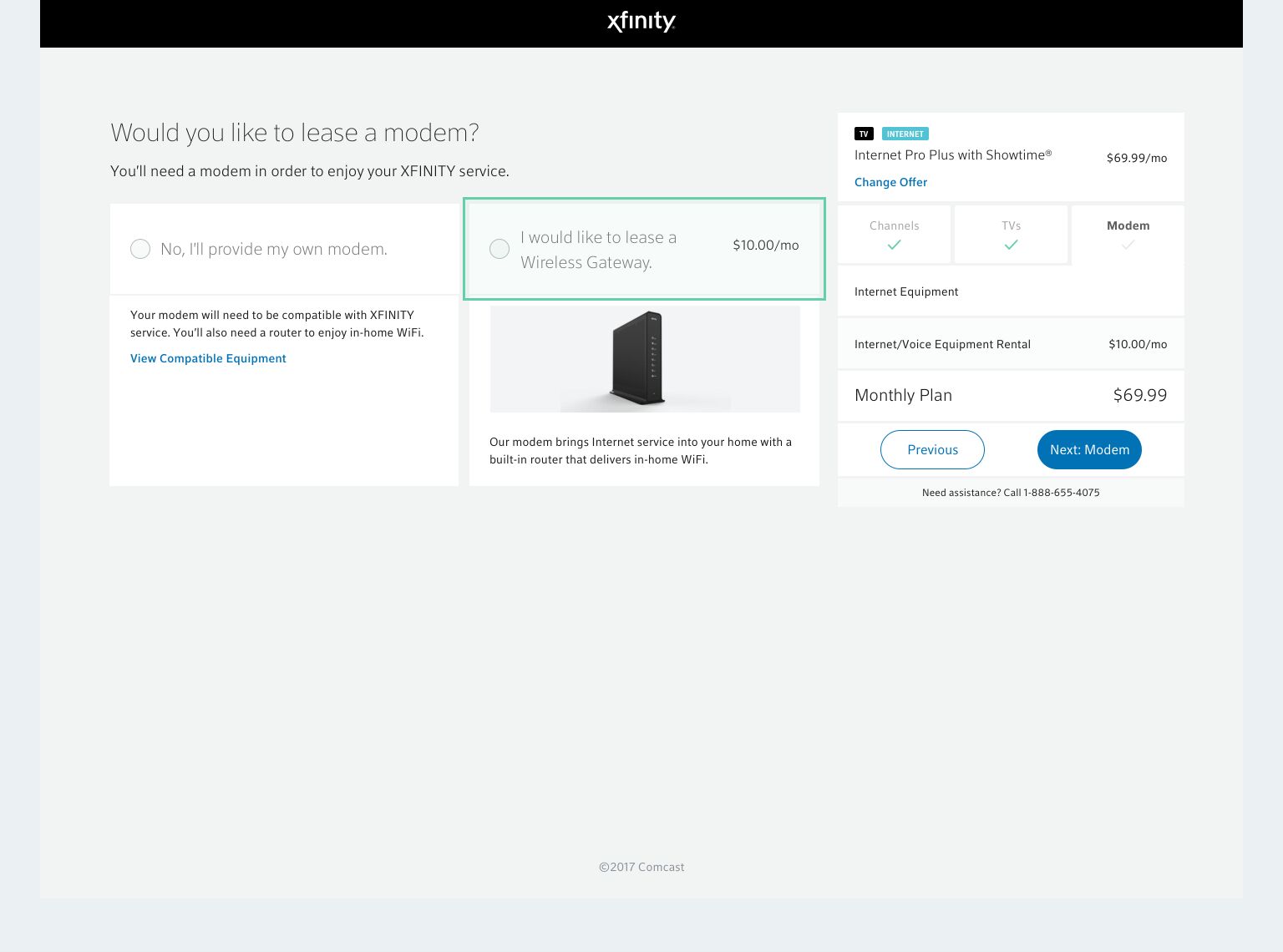
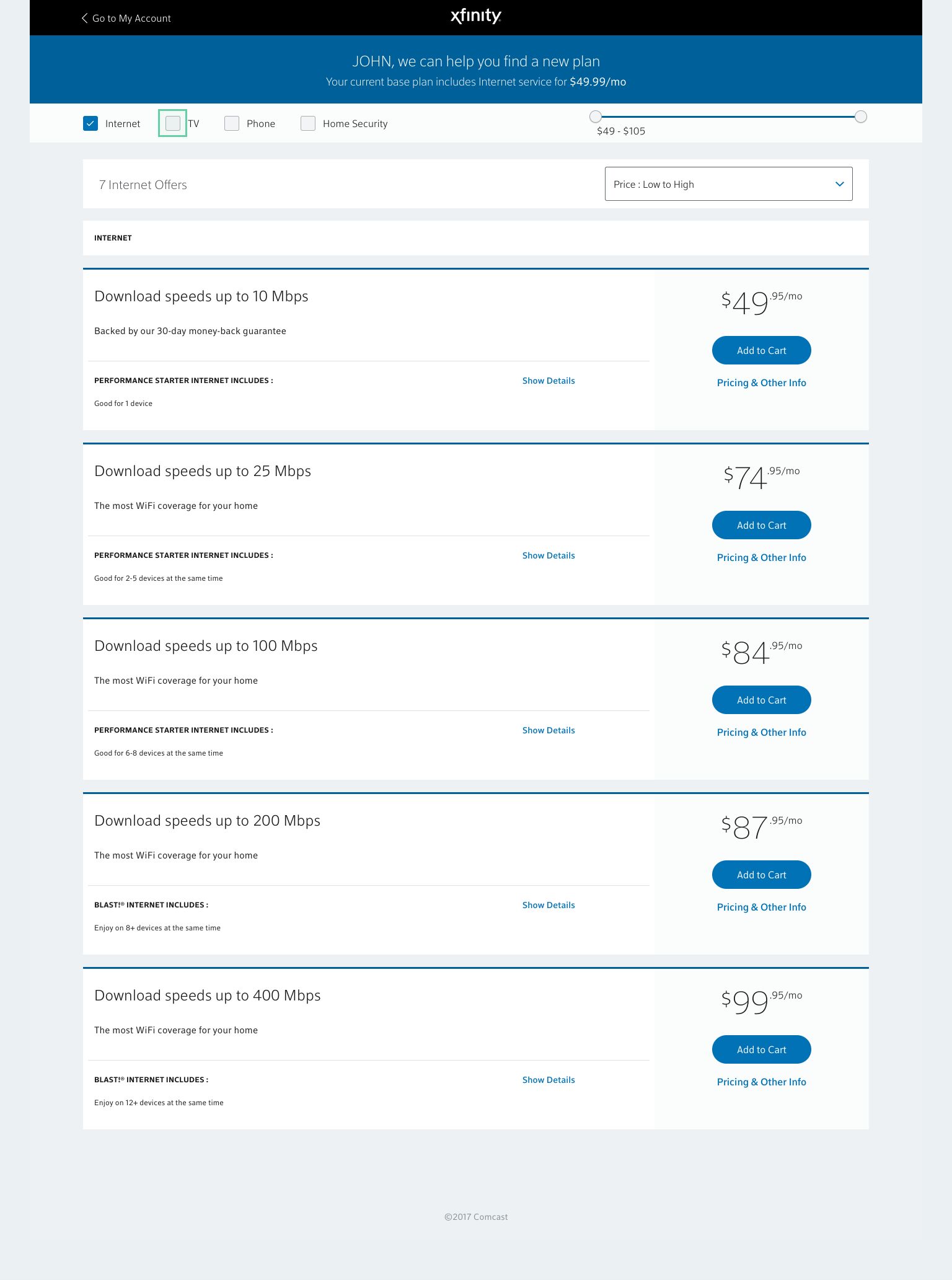
Customers build their own plan one module at a time: TV, internet, equipment, install, account and a final review.
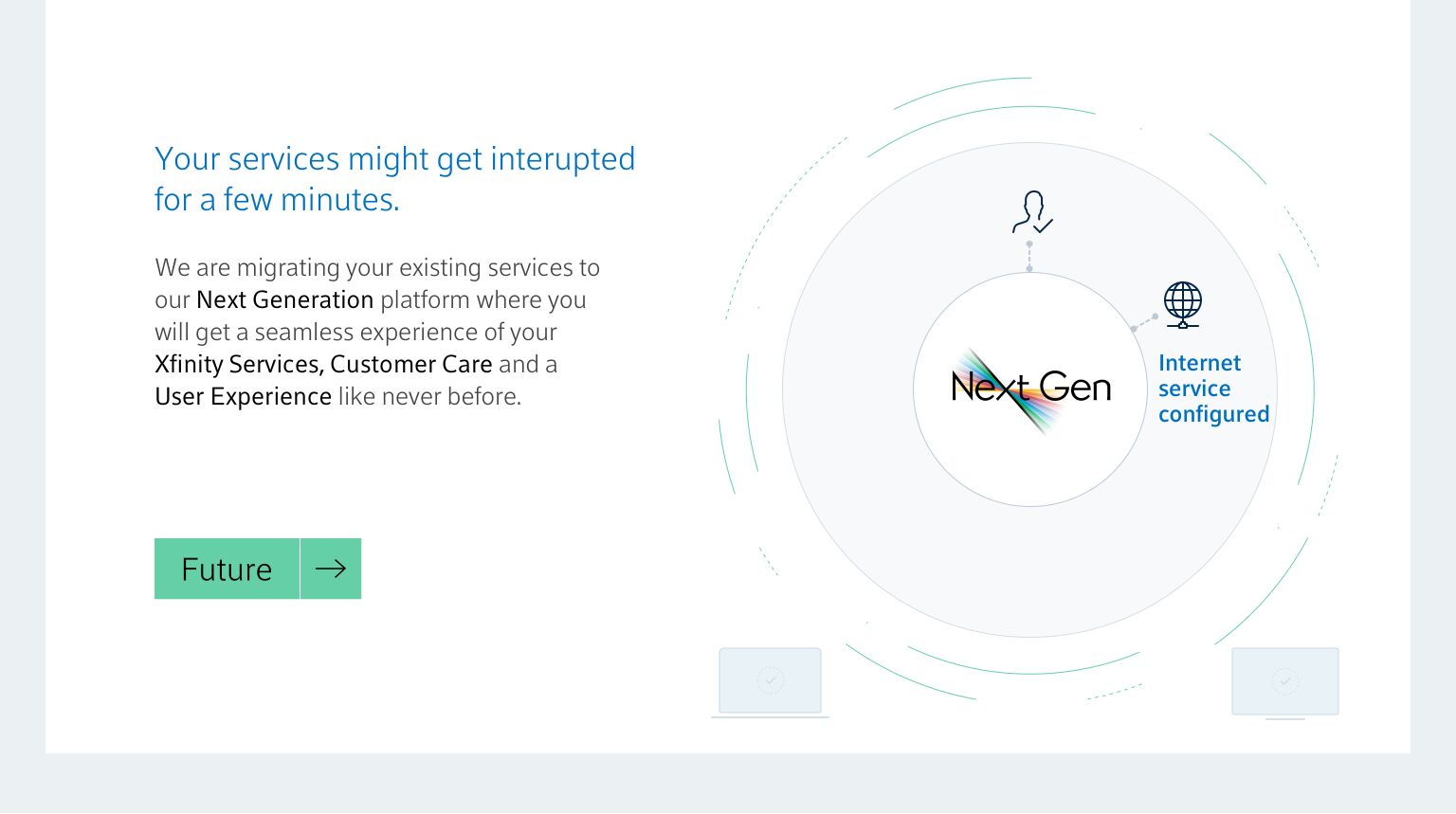
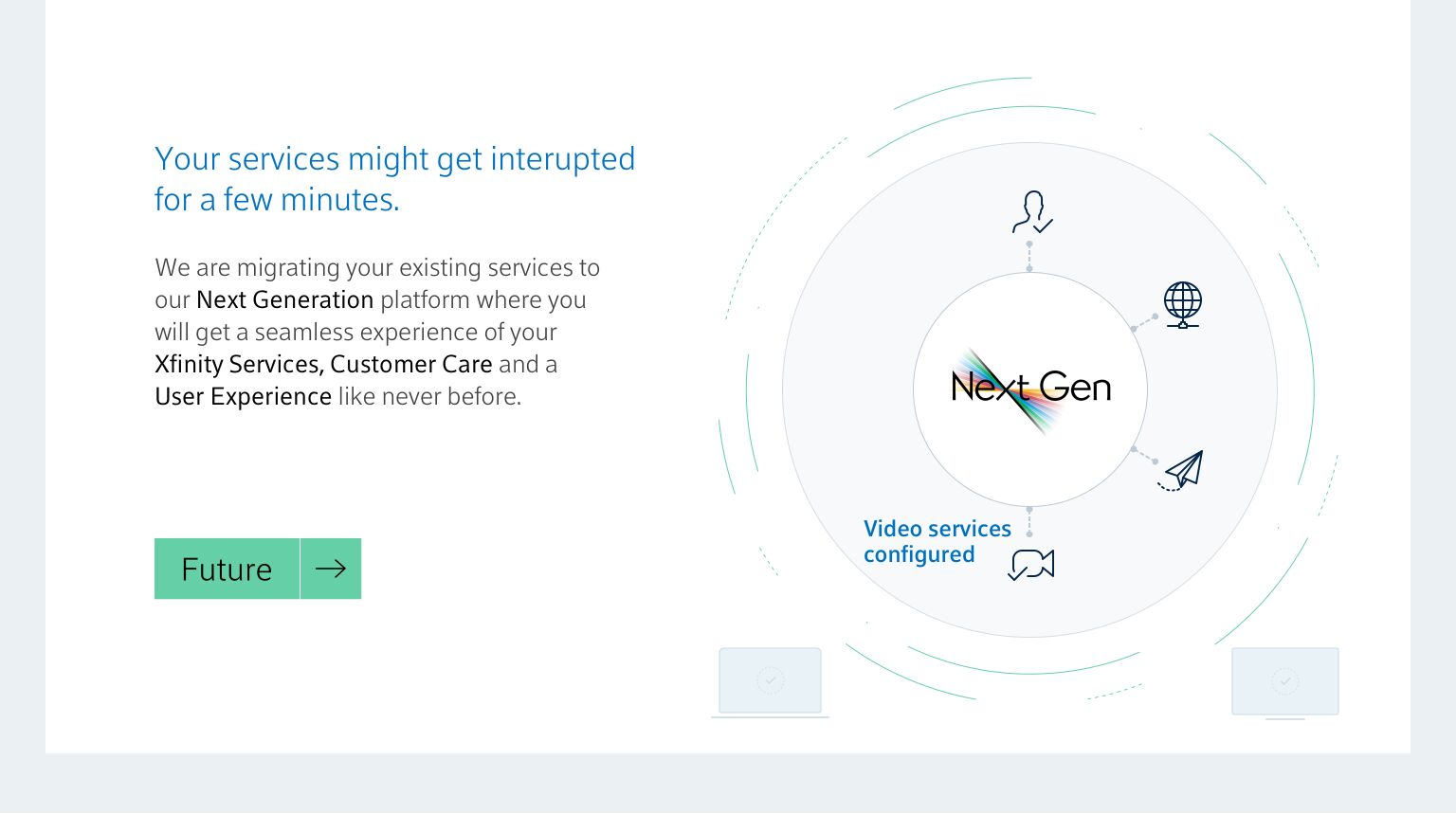
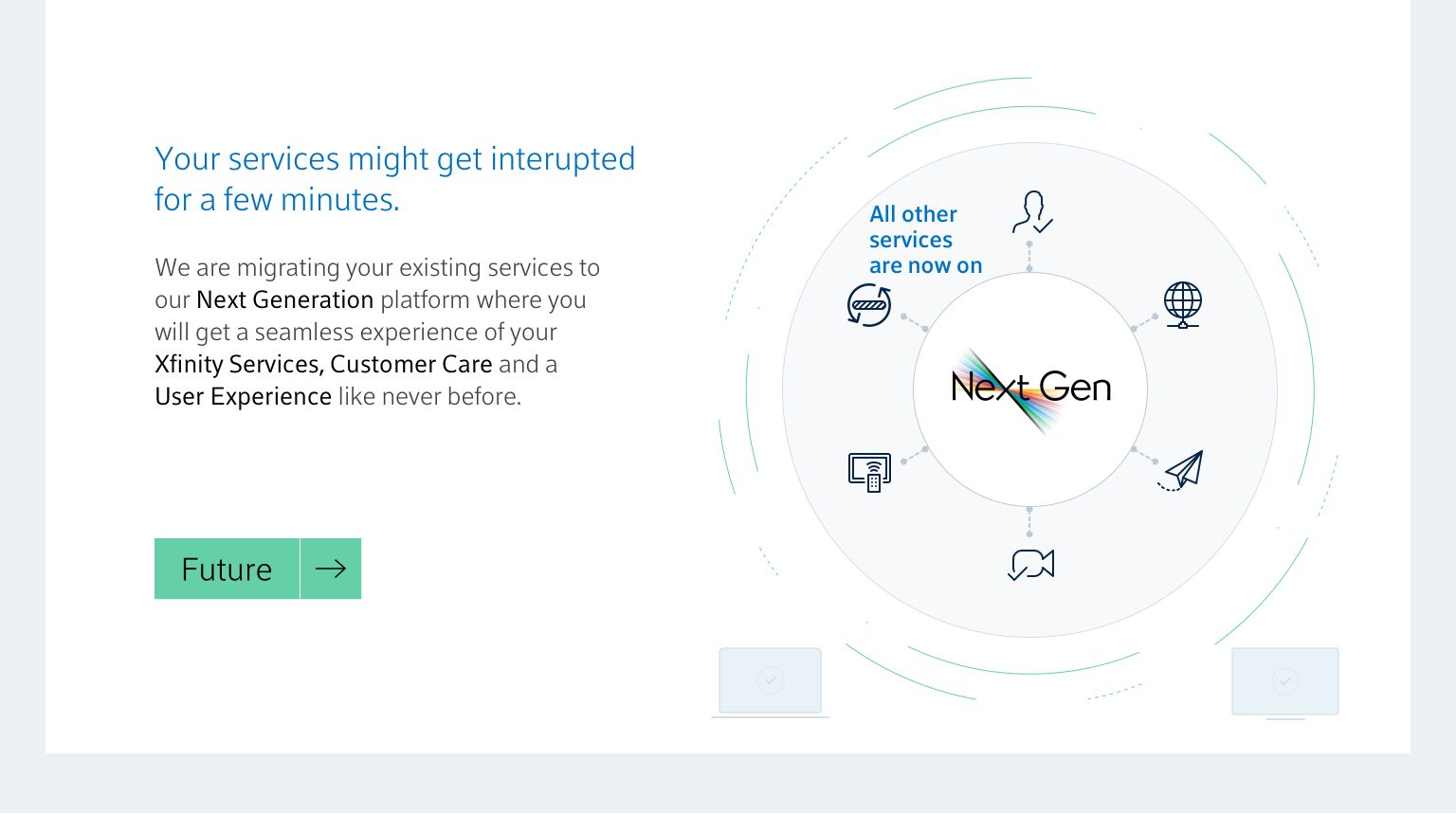
Migration ‘breach moment’
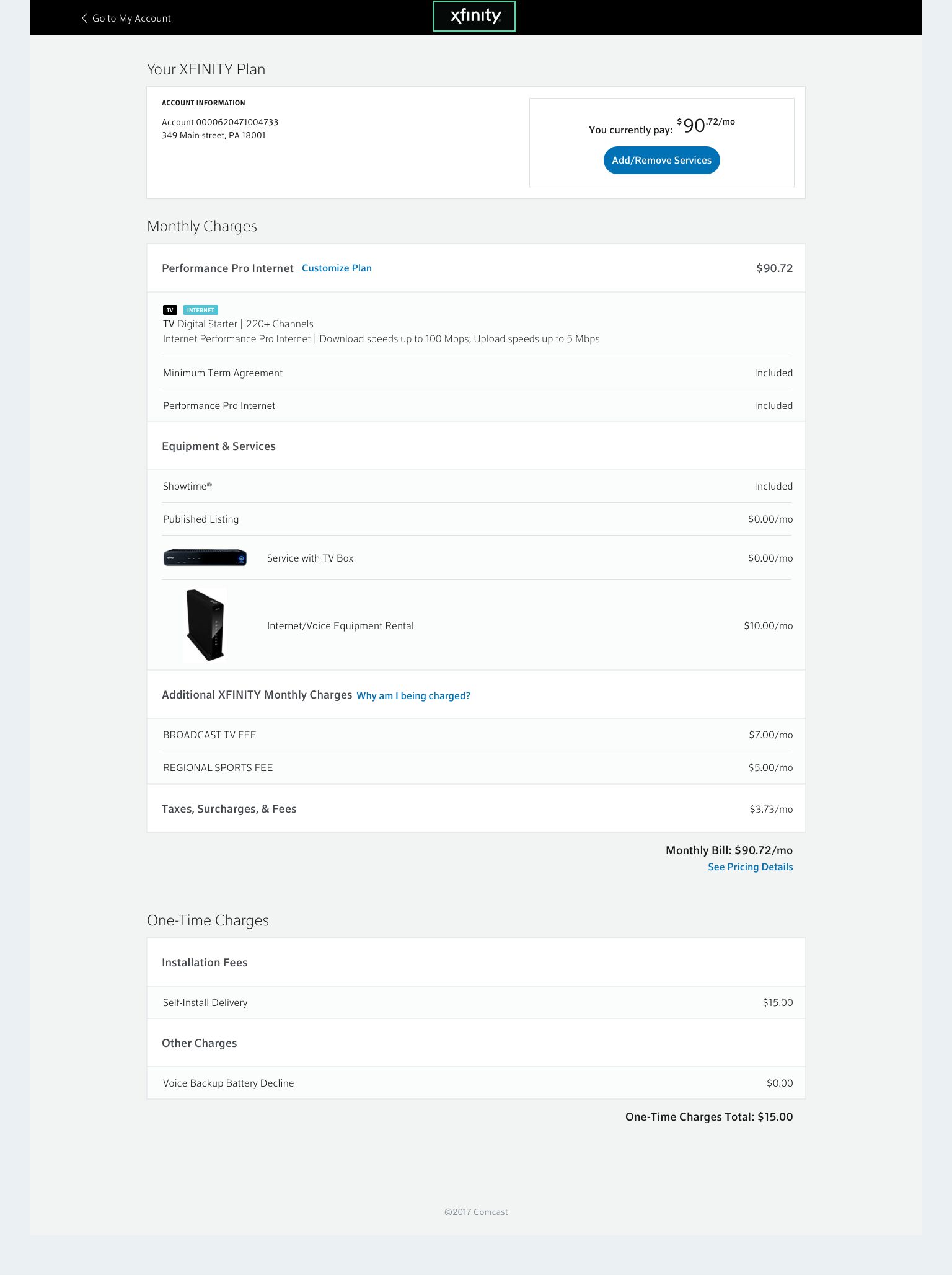
The point where an existing customer meets the new platform. These screens explain what changes and walk them through moving across.
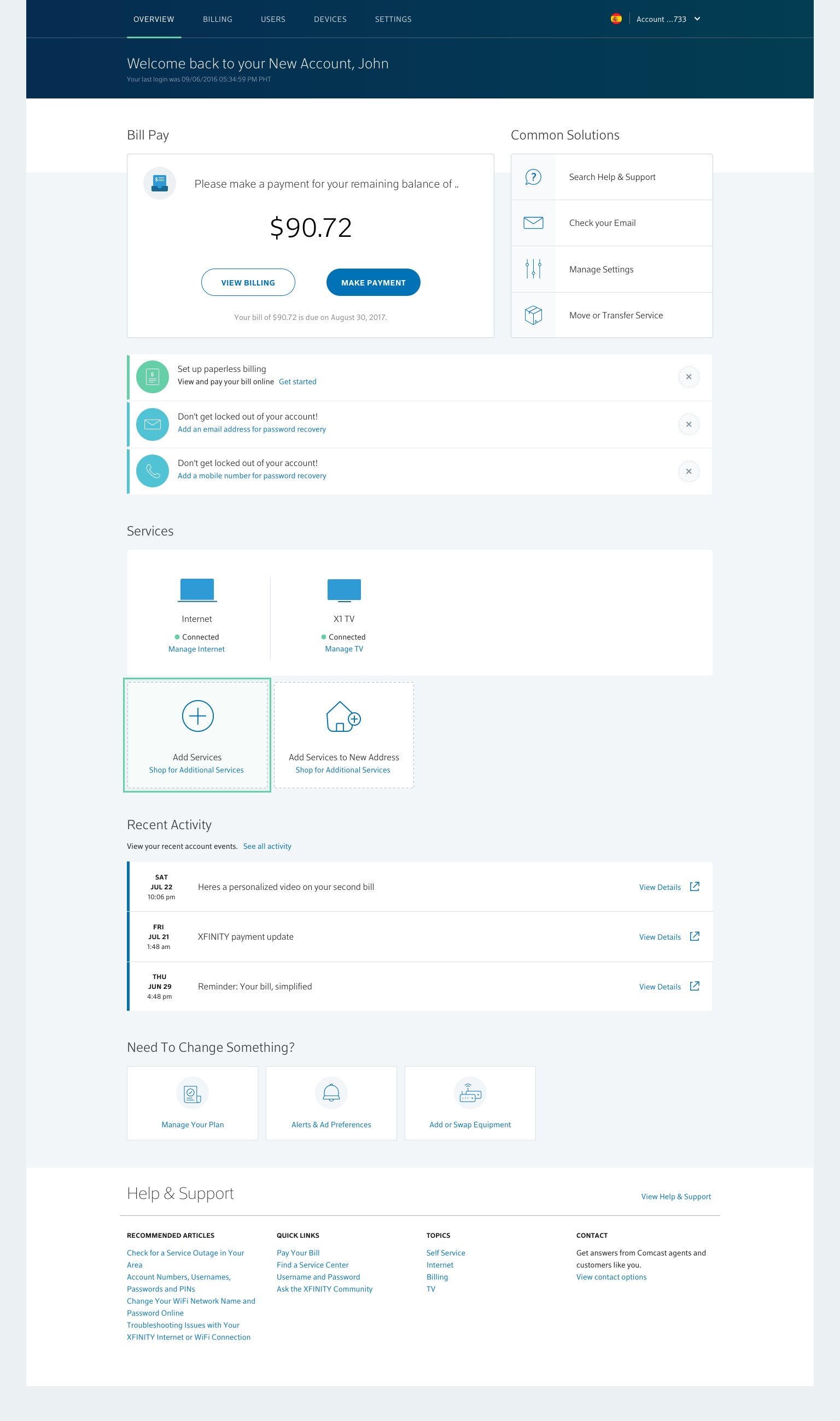
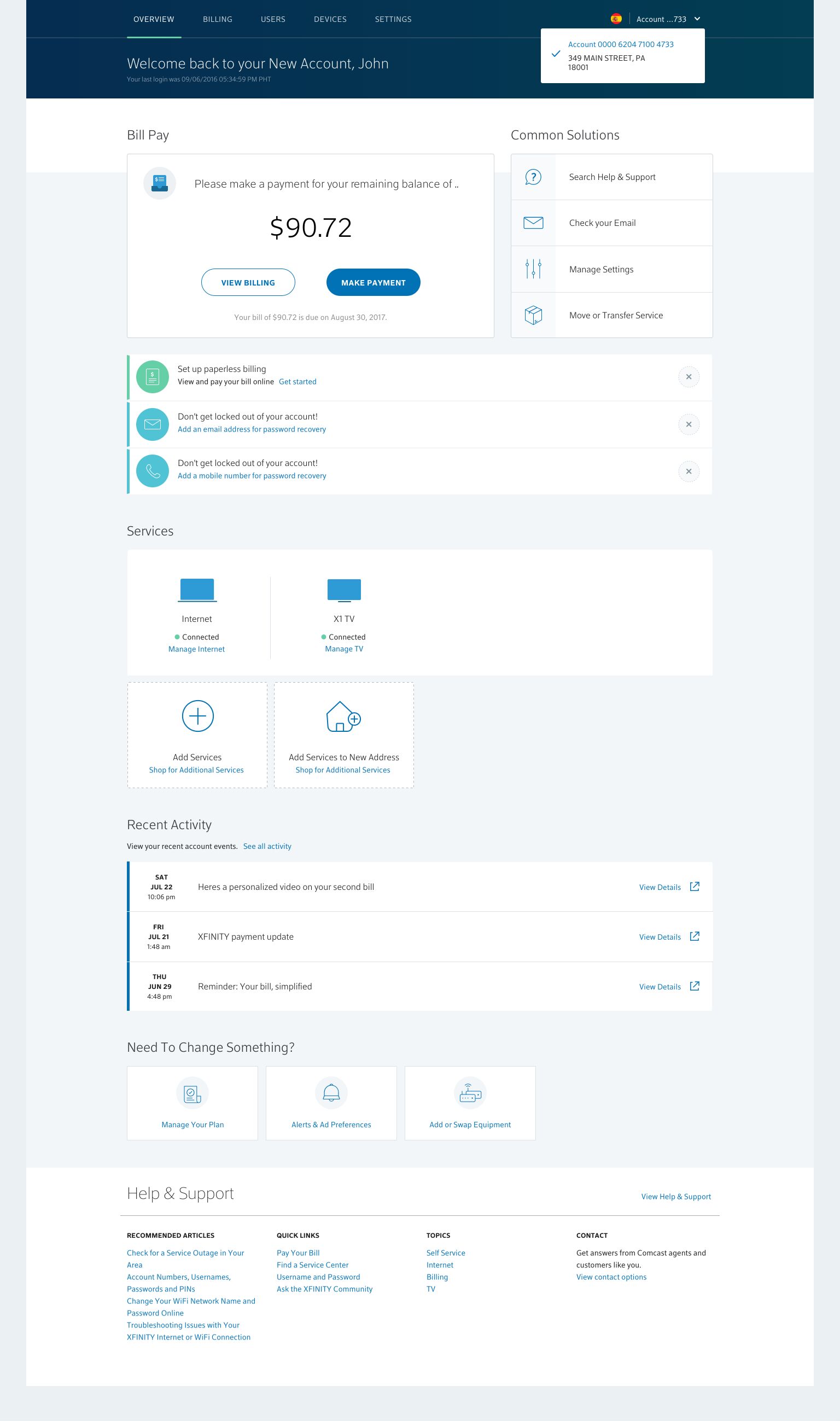
New account experience
The account home and the screens a customer sees once they are on the new platform.
Outcome
The prototypes cover the full path: building a plan, meeting the new platform, and landing in the new account.