Telecom · USA
Comcast Customer care management · Einstein 360
Comcast launched Xfinity Mobile in 2017 to enter the US mobile service business with an existing base of over 1.5 million customers. I designed and built interfaces for the customer care tools and portal serving both new and existing customers.
- Client
- Xfinity Comcast, USA
- Project
- Einstein 360
- Role
- UX & UI Designer, UI Developer
- Period
- Oct 2017 – Mar 2018
- Team
- 80+
- Domain
- Media, Entertainment & Telecom
- Location
- Philadelphia, PA, USA
- Tools
- Sketch, InVision, HTML5, CSS3, Bootstrap 3, Angular, Git
- Client site
- Visit live site ↗The current version may differ from my work.
The challenge
Care agents need to find the right account fast, verify the caller correctly, and see everything about the customer in one place, while the conversation is happening.
Agents also must not disclose personal information to an unverified caller.
What I did
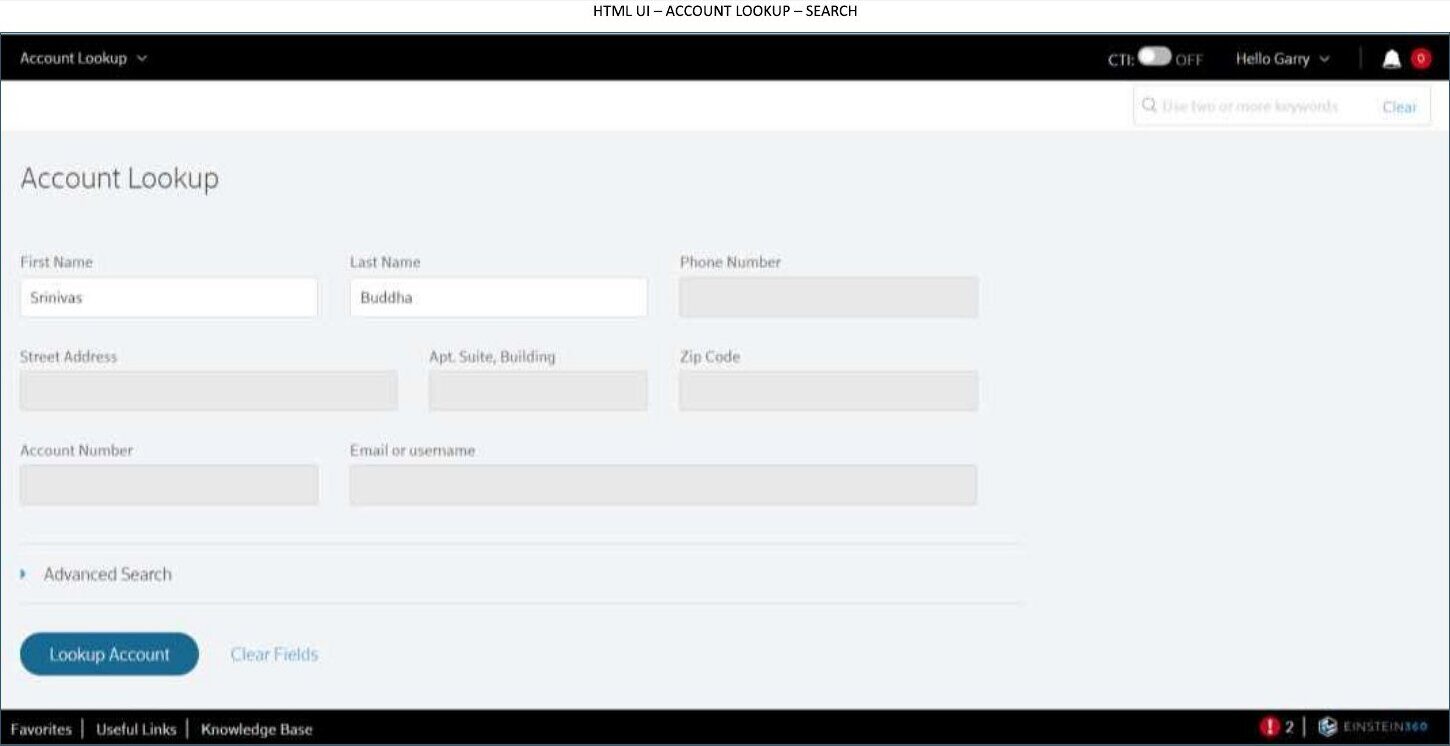
- Account lookup screen with first/last name, address, account number and email search
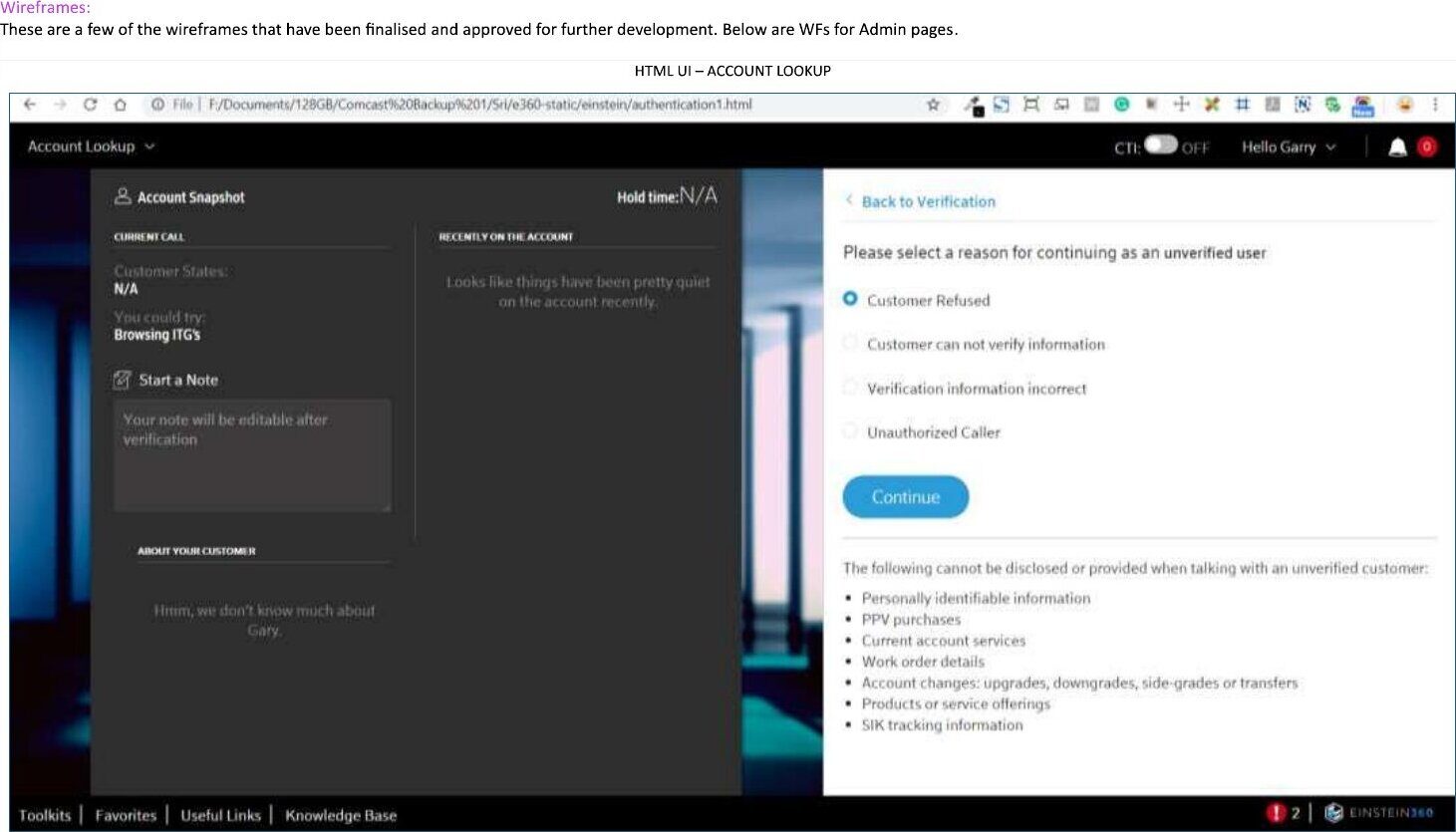
- Post-login verification flow with reasons for continuing with an unverified user
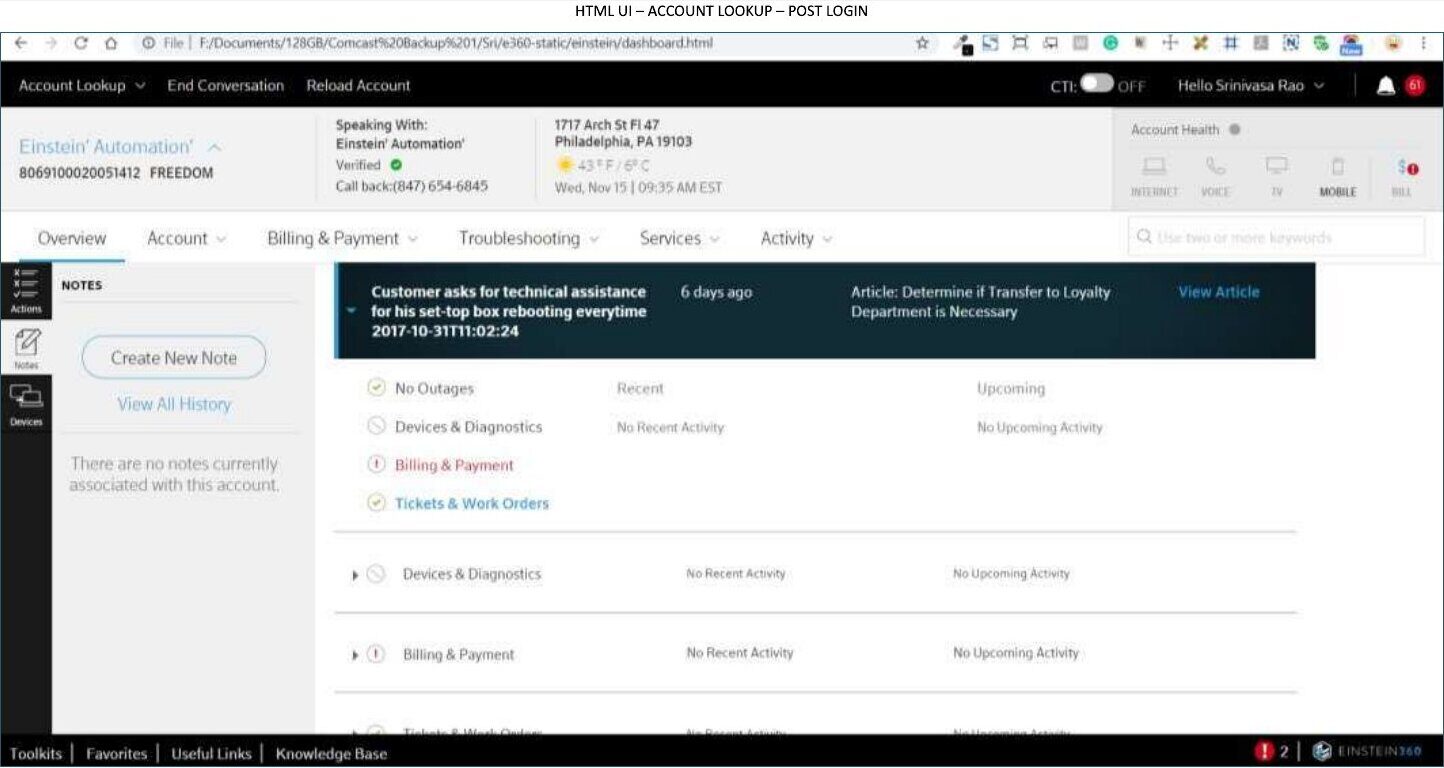
- Account overview with notes, outages, devices, billing and troubleshooting
- Front-end development in HTML5, CSS3, Bootstrap 3 and Angular
Approach
01 From wireframes to UI
Designed user interfaces for the web application from wireframes provided by the business team (Sketch, InVision).
02 Build what you design
Developed the UIs in HTML5, CSS3, Bootstrap 3 and Angular, and shared code across the team with Git.
03 Test everywhere
Ran cross-browser and cross-device testing.
Key design decisions
Decision 01 — Verification before disclosure
The verification step lists exactly what may and may not be shared with an unverified caller, right where the agent decides.
Decision 02 — Overview as a timeline
Recent and upcoming activity for outages, devices, billing and tickets sit side by side so the agent sees the whole story at once.
Key screens
A call, in the order the agent works through it: find the account, verify the caller, then see the whole customer.
Outcome
The account lookup wireframes and HTML UIs were finalised and approved for further development by the business team.