Banking · USA
Wells Fargo CDO & CLO portals · Portal Direct v1.0
Portal Direct is an internal responsive web application for a close-knit group of investors, collateral managers, relationship managers, financial managers, analysts and accountants who invest in, manage and monitor CDOs and CLOs.
- Client
- Wells Fargo, USA (Banking)
- Project
- Portal Direct v1.0
- Role
- UX & UI Architect
- Period
- Aug 2016 – Sep 2017
- Team
- 15+
- Location
- Columbia, MD, USA
- Tools
- UX research, UX audit, data analysis, IA, Design Thinking, wireframes & prototypes, Sketch, InVision, Zeplin, HTML5 & CSS3, Bootstrap, Material UI, Angular CLI
- Client site
- Visit live site ↗The current version may differ from my work.
The challenge
The portal had to streamline the whole process, from setting up a deal to managing, monitoring and reporting, with reports specific to each user and a transparent end-to-end workflow.
Very different roles needed different permissions and views on the same complex financial data.
What I did
- Wireframes, mockups and prototypes (Balsamiq, MS-Visio, Photoshop, Sketch, InVision)
- Workflows and task flows presented to stakeholders, with feedback implemented (InVision, Zeplin)
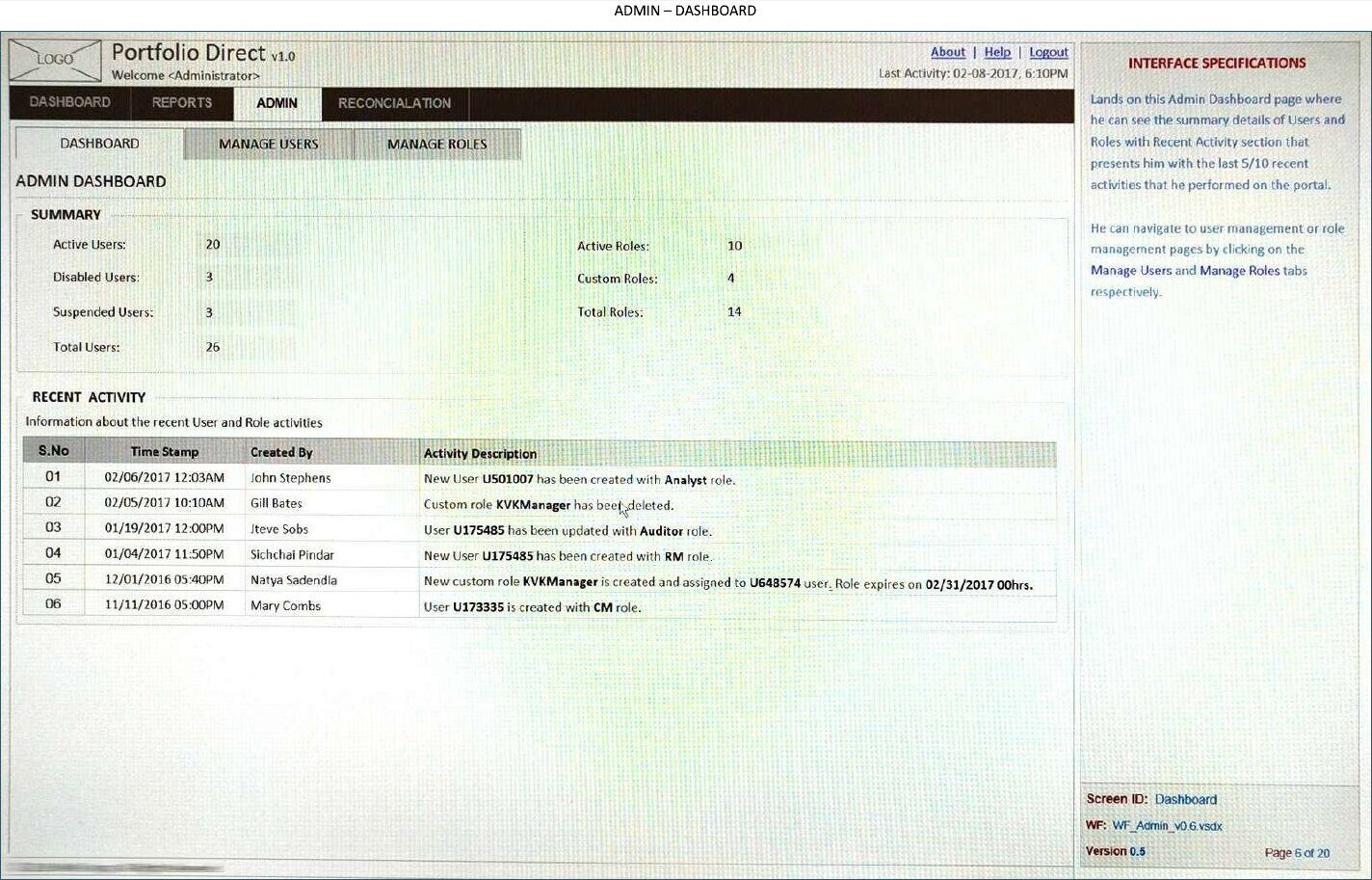
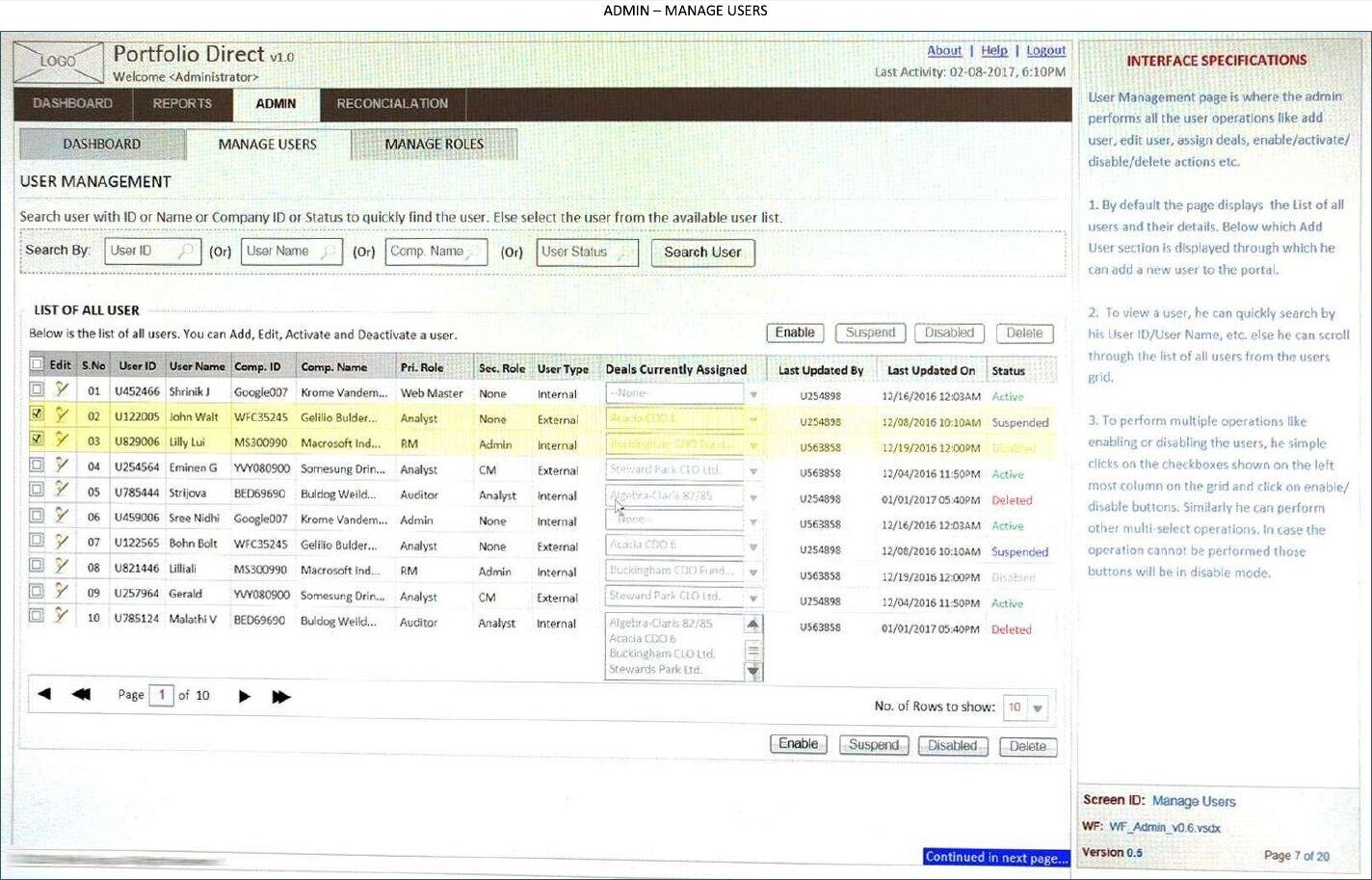
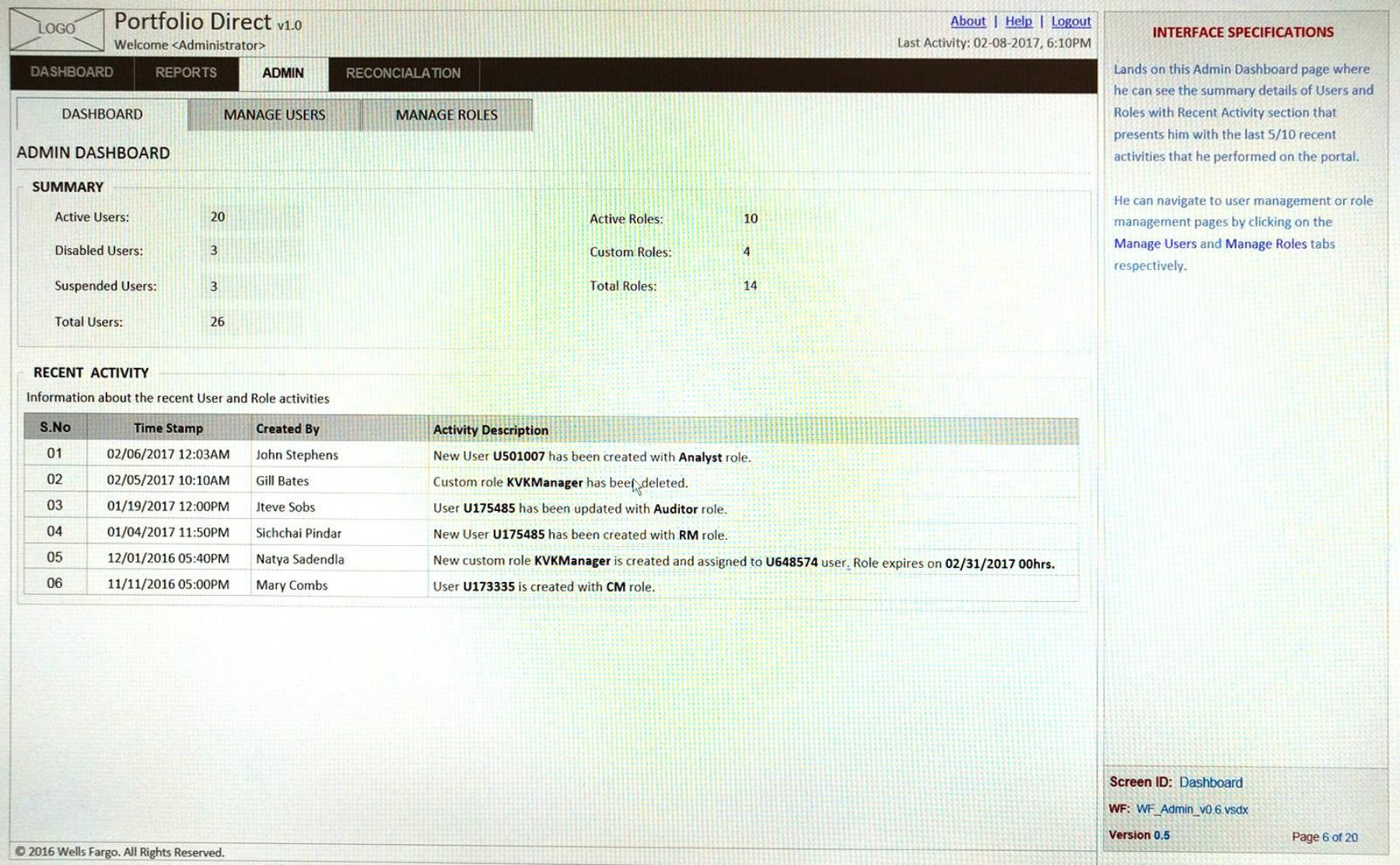
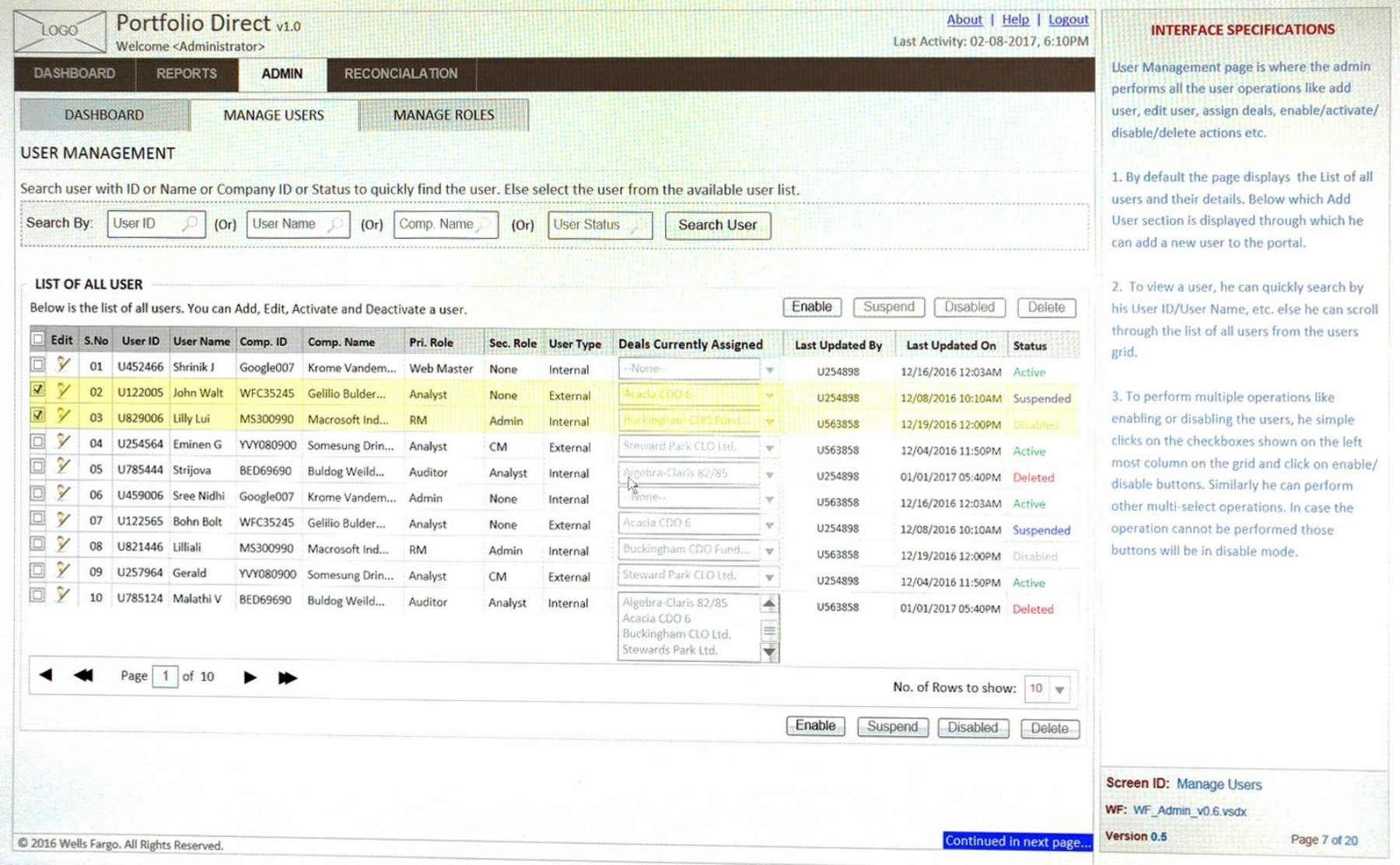
- Admin dashboard, manage users and manage roles specifications
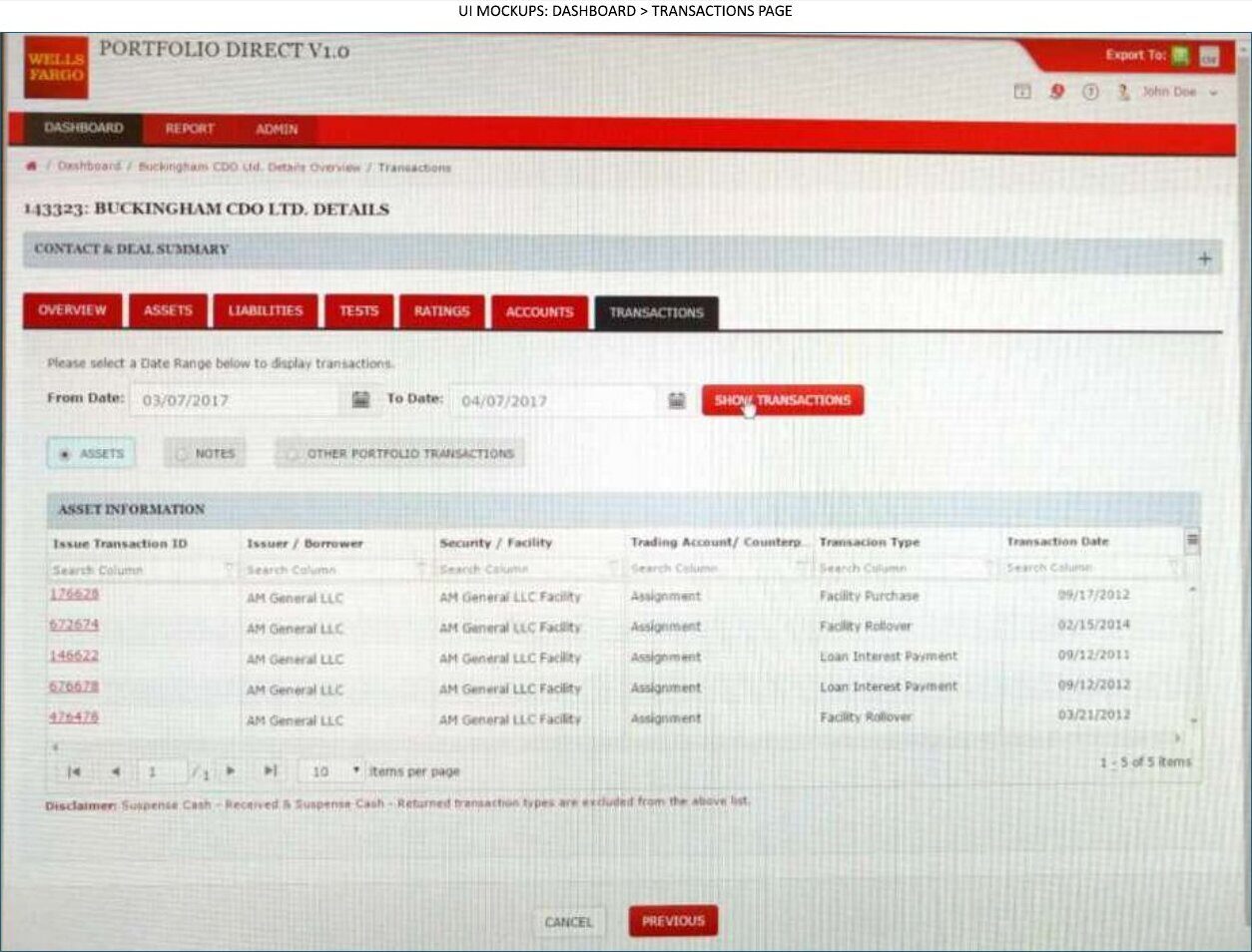
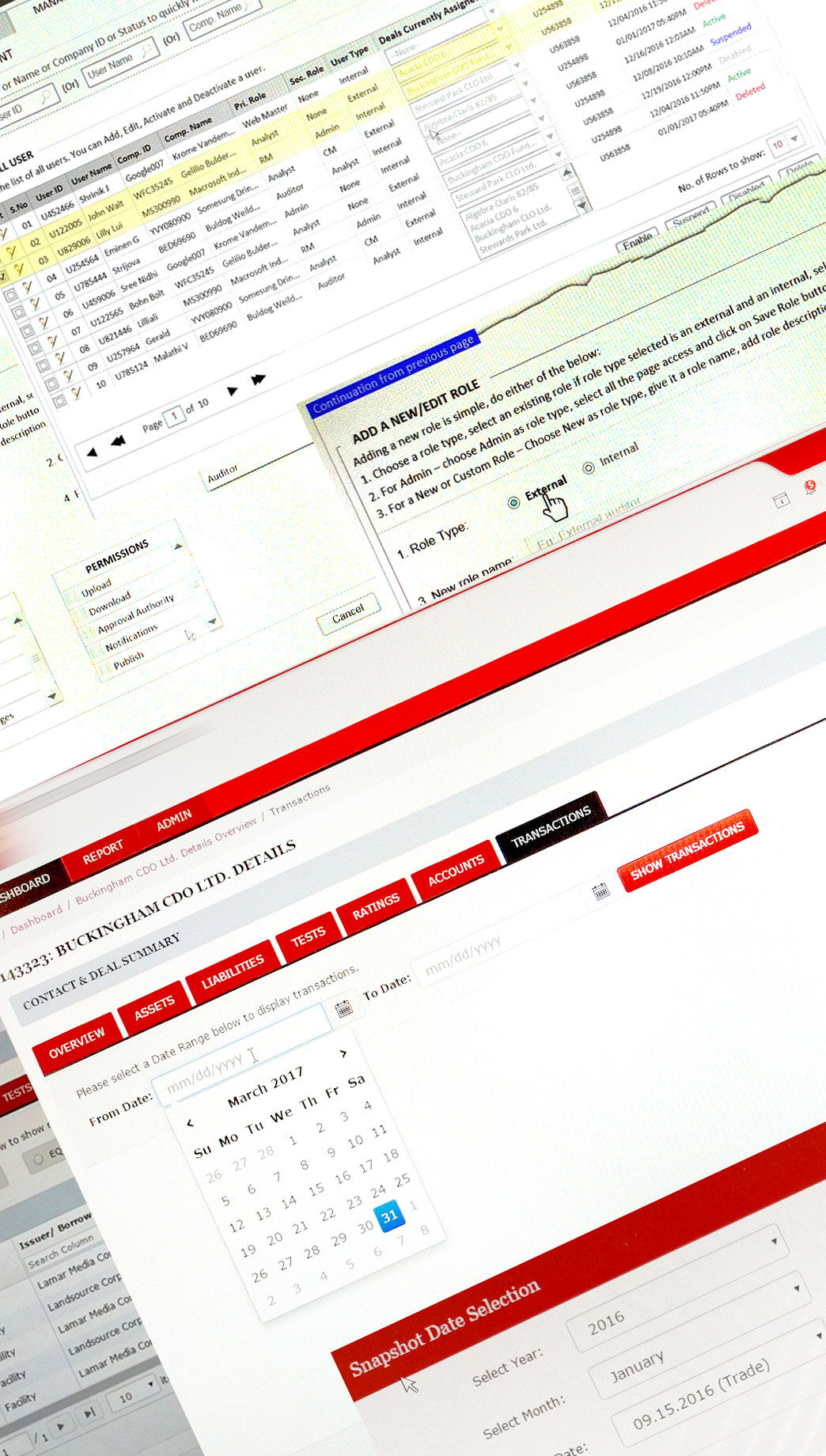
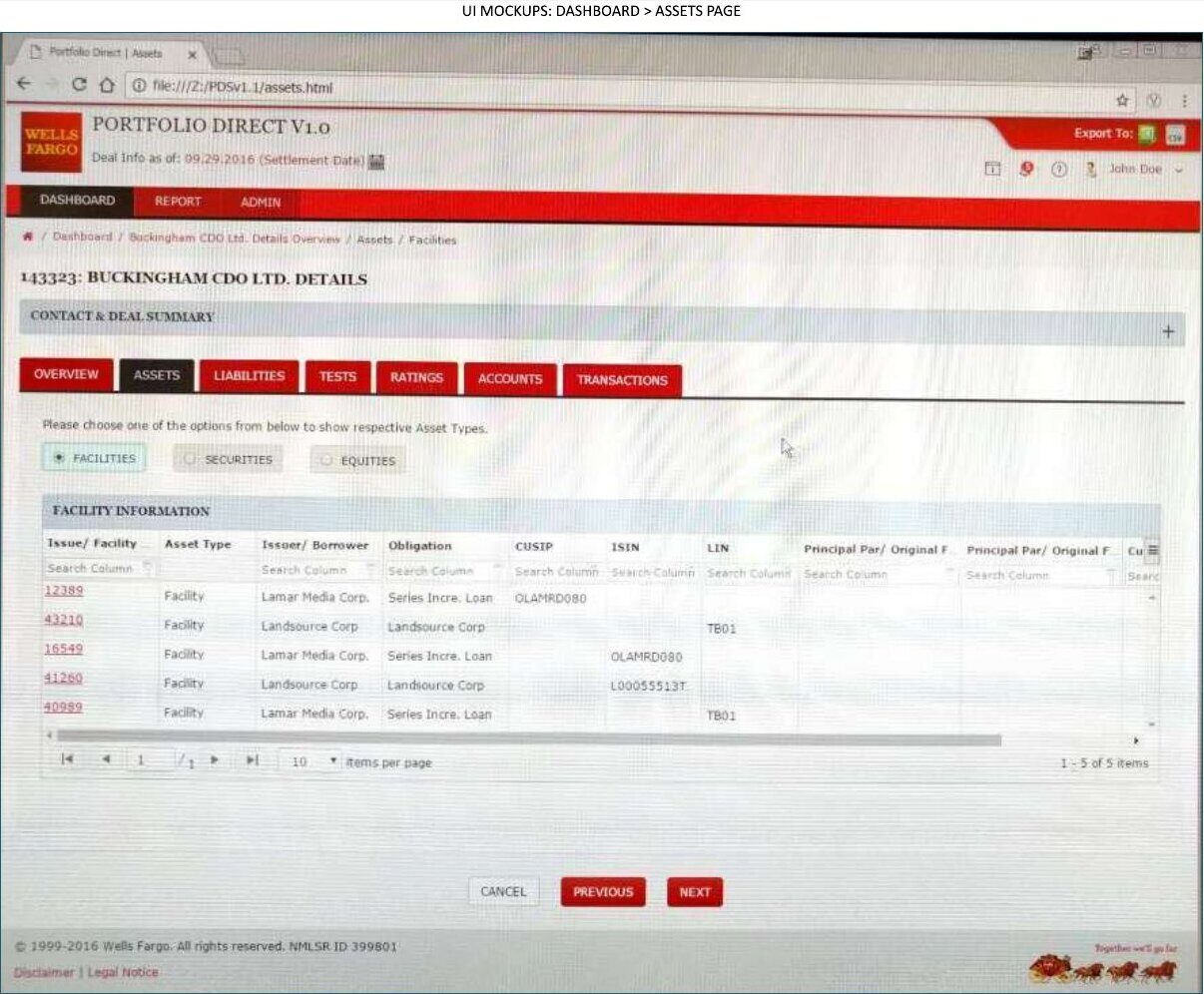
- UI mockups for deal assets and transactions
- Front-end development (HTML5, CSS3, Bootstrap, jQuery, Angular grids), code sharing via Git, team management in Agile JIRA
- WAI-ARIA accessibility enhancements
Approach
01 Plan with sales and tech
Was part of the sales, technical and project planning team, estimating high-level UX and UI timelines.
02 Understand the business
Analysed requirements, researched similar apps in the market and built the information architecture.
03 Specify precisely
Produced wireframes with interface specifications and a versioned wireframe specification document.
04 Build and lead
Developed front-end UIs, ran cross-browser and cross-device testing, managed onshore and offshore UI teams and reported to the VP of Technology.
Key design decisions
Decision 01 — Roles as a matrix
Manage Roles shows every role against every permission in one grid, so admins can audit access at a glance.
Decision 02 — Deal pages as tabs
Each deal opens into Overview, Assets, Liabilities, Tests, Ratings, Accounts and Transactions tabs, mirroring how analysts work through a deal.
Decision 03 — Specs next to the wireframe
Every wireframe carries its interface specification in the margin, so offshore developers build exactly what was agreed.
Early sketches
Before the wireframes: paper sketches and annotated reviews from 2016.
Wireframes
The admin screens as wireframes, then annotated with their interface specifications.
UI mockups
A deal, opened into its tabs.
Outcome
Wireframes were finalised and approved for further development, and the specification document tracked every change version by version for the build team.